

How to Watch LeBron and the Sixers Without Cable (2026-27)
LeBron's first Sixers season tips off October 20. Unlike the Eagles, an antenna only gets you 13 games. Here's where every game airs and the cheapest ways to watch the rest without a full cable package.
Disclosure: Household Advocate is an independent bill review service and is not affiliated with any internet, cable, or phone provider mentioned in this post. We do not receive compensation from any provider. Our only goal is to help you find savings.
LeBron James in a Sixers uniform. Jaylen Brown next to him. Embiid and Maxey still here. This is the most anticipated Sixers season in a long time, and it starts Tuesday, October 20, in New York.
If you've read our Eagles post, you know how that one goes: buy an antenna, watch nearly everything free. We'd love to tell you the Sixers work the same way. They don't, and we're not going to pretend otherwise.
The honest version
An antenna gets you 13 Sixers games this season. The rest need a paid service of some kind. The good news is that "paid service" no longer has to mean a $150 cable package.
Where the games are
The Sixers have 34 nationally televised games this year, the most the league allows. Here's how the season splits:
NBC (8 games) and ABC (5 games): free with an antenna
ESPN (8 games): cable channel
Amazon Prime Video (10 games): streaming only
Peacock (3 games): streaming only
NBC Sports Philadelphia: everything else, which is more than half the season. An antenna does not pick it up.
The free games worth circling
Tuesday, Oct. 20, 7:00 p.m. - at Knicks, NBC. LeBron's first game as a Sixer.
Tuesday, Nov. 10, 8:00 p.m. - vs. Celtics, NBC. Jaylen Brown against his old team.
Friday, Dec. 25, 5:00 p.m. - at Lakers, ABC. LeBron against his old team, on Christmas.
One heads-up: the home opener on Thursday, Oct. 22 against Cleveland is on ESPN, not a free channel.
Three ways to get the rest
1. Peacock plus the NBC Sports Philadelphia add-on - about $38 a month. Peacock Premium is $12.99 a month, and the NBC Sports Philadelphia add-on is $24.95 on top of that. Together they cover every local Sixers game plus every game on NBC and Peacock. There's no contract, so you can cancel when the season ends. You do have to live in the Philadelphia TV market. For most fans, this is the cheapest way to watch most of the season. This is what I do and it works for the Phillies too (if they’re even worth watching next season). Sometimes you can find a deal for Peacock.
2. YouTube TV's Sports plan - $64.99 a month. It includes NBC Sports Philadelphia, ESPN, NBC, and ABC, which covers everything except the 10 Prime Video games. This makes sense if you also want ESPN for college football or other sports.
3. Keep cable, but stop overpaying for it. If someone in your house watches the Sixers, Phillies, and Flyers most nights and has no interest in learning a new remote, staying put can be the right call. That doesn't mean the bill is right.
What about the ESPN and Prime games?
If you go with option 1, you'll be missing the 8 ESPN games and the 10 on Prime Video. For ESPN, Sling sells a Day Pass for $4.99 that covers 24 hours, so you can buy the games you care about one at a time. Prime Video games are included if you already have Amazon Prime.
Setting this up for Mom or Dad?
Start with what they'd actually miss. If it's a handful of big games, an antenna covers opening night and Christmas for nothing. If it's every game, option 1 runs on the smart TV or streaming stick they may already own. And if cable is staying, it's still worth a look at what they're paying for it. Start at householdadvocate.com/help-a-parent.
Quick cheat sheet
Games on NBC or ABC: Antenna, free
Local games (NBC Sports Philadelphia): Peacock add-on or YouTube TV Sports
ESPN games: Sling Day Pass, or included with YouTube TV Sports
Prime Video games: Amazon Prime
The bigger point
You don't need a full cable package to follow this team. If you're paying $150 or more a month mostly to watch Philly sports, there's a good chance you're paying for a lot you don't use. That's what we do at Household Advocate: we look at what you actually watch and what you're actually paying, and show you where the savings are. The review is free.
Ready to find your savings? Click here to start your free bill review.

Halloween on TV Without Cable: What's Free and What Isn't (2026)
A good share of Halloween TV is free with an antenna or a free app. Hocus Pocus isn't, but you can get it for $4.99 without a cable package. Here's where everything airs through Halloween night.
Disclosure: Household Advocate is an independent bill review service and is not affiliated with any internet, cable, or phone provider mentioned in this post. We do not receive compensation from any provider. Our only goal is to help you find savings.
The grandkids are coming over, the candy bowl is out, and somebody wants to watch Hocus Pocus. Do you need a cable package for that?
Mostly, no. A good share of Halloween TV is free with an antenna or a free app. A few favorites are not, and for those there are cheaper answers than a year of cable. Here's the honest breakdown for the rest of October.
Free this weekend: the Great Pumpkin
It's the Great Pumpkin, Charlie Brown streams free in the Apple TV app on Saturday and Sunday, Oct. 17 and 18. Outside those two days it needs an Apple TV subscription. Two more free weekends are coming, and they're worth writing on the calendar:
A Charlie Brown Thanksgiving: Nov. 14 and 15
A Charlie Brown Christmas: Dec. 12 and 13
Free with an antenna
Svengoolie on MeTV - Saturday, Oct. 17, 8:00 p.m. Invasion of the Body Snatchers.
Spooky sitcom episodes on MeTV - Sunday, Oct. 18, starting at 10:00 a.m. The Brady Bunch, Leave It to Beaver, Gilligan's Island and more.
Halloween cartoons on MeTV - weekday mornings Oct. 19 through Oct. 30, 7:00 to 9:00 a.m. A good one for little kids before school.
Svengoolie on MeTV - Saturday, Oct. 24, 8:00 p.m. Frankenstein Meets the Wolf Man, with Spooky Stooges at 6:00 p.m. before it.
The Simpsons: Treehouse of Horror - Sunday, Oct. 25, 8:00 p.m., FOX. This year's edition is the 37th.
The Wizard of Oz on MeTV - Sunday, Oct. 25, 11:00 a.m. and 5:30 p.m., with The Wiz at 1:30 p.m. in between.
Ghosts Halloween episode - Thursday, Oct. 29, 8:30 p.m., CBS.
Halloween night on MeTV - Saturday, Oct. 31, 7:00 p.m. Svengoolie Presents The Wizard of Oz, then Don't Be Afraid of the Dark at 10:00 p.m.
MeTV is a free over-the-air channel. If you don't see it, run a channel scan from your TV's settings menu.
Free with an app
Pluto TV has a Halloween collection of more than 200 movies this month, free with ads and no subscription. One caution: it is mostly horror for grown-ups, like Scream and Friday the 13th, so it is not the place to park a six-year-old. Tubi is another free app worth a look.
Many public libraries also offer free movie streaming with a library card. Check your library's website.
Not free: Hocus Pocus and the Freeform favorites
Freeform's 31 Nights of Halloween is where most of the family classics air, and Freeform is a cable channel. An antenna won't get it. The evening airings people ask about most:
Hocus Pocus: Tuesday, Oct. 13 at 6:20 p.m. - Saturday, Oct. 17 at 5:00 p.m. - Monday, Oct. 19 at 8:55 p.m. - Thursday, Oct. 22 at 6:30 p.m. - Saturday, Oct. 24 at 6:55 p.m. - Wednesday, Oct. 28 at 8:50 p.m. - Halloween at 1:00 p.m. and 7:20 p.m.
The Nightmare Before Christmas: Friday, Oct. 16 at 6:50 p.m. - Sunday, Oct. 18 at 9:15 p.m. - Wednesday, Oct. 28 at 5:05 p.m. - Halloween at 3:10 p.m.
The Addams Family: Wednesday, Oct. 14 at 6:50 p.m. - Saturday, Oct. 17 at 7:10 p.m. - Monday, Oct. 26 at 6:50 p.m.
Monsters, Inc.: Sunday, Oct. 25 at 6:50 p.m. - Thursday, Oct. 29 at 4:00 p.m.
Casper: Sunday, Oct. 18 at 6:45 p.m. - Thursday, Oct. 29 at 8:35 p.m. - Halloween at 4:50 p.m.
Beetlejuice: Monday, Oct. 19 at 6:50 p.m. - Tuesday, Oct. 27 at 9:00 p.m.
Three ways to watch without a cable package:
Sling Day Pass - $4.99. It gives you 24 hours of the Sling Orange lineup, which is the package Freeform belongs to. Buy it on Halloween afternoon and you're covered for the evening.
Sling Essentials - $20 a month. It includes Freeform, Disney Channel, and MeTV. One month covers the rest of October, and there's no contract.
Disney+. Hocus Pocus is there to watch any time. Subscribe for a month and cancel when you're done.
Setting this up for Mom or Dad?
Write the channel and time for two or three of these on an index card and leave it by the remote. If the grandkids are visiting and want Hocus Pocus, a $4.99 Day Pass on Halloween costs far less than keeping a cable package all year for a handful of nights. And if a cable bill is staying, it's still worth a look at what it costs. Start at householdadvocate.com/help-a-parent.
Quick cheat sheet
The Great Pumpkin: Free on Apple TV, Oct. 17 and 18
The Simpsons, Ghosts, Svengoolie, The Wizard of Oz: Antenna, free
Scary movies for grown-ups: Pluto TV, free
Hocus Pocus and the Freeform lineup: Sling Day Pass, $4.99
The bigger point
Nobody should pay for cable twelve months a year to watch a few holiday movies. If you're paying $150 or more a month for TV and mostly watch local channels and a handful of favorites, there's a good chance you're paying for a lot you don't use. That's what we do at Household Advocate: we look at what you actually watch and what you're actually paying, and show you where the savings are. The review is free.
Ready to find your savings? Click here to start your free bill review.
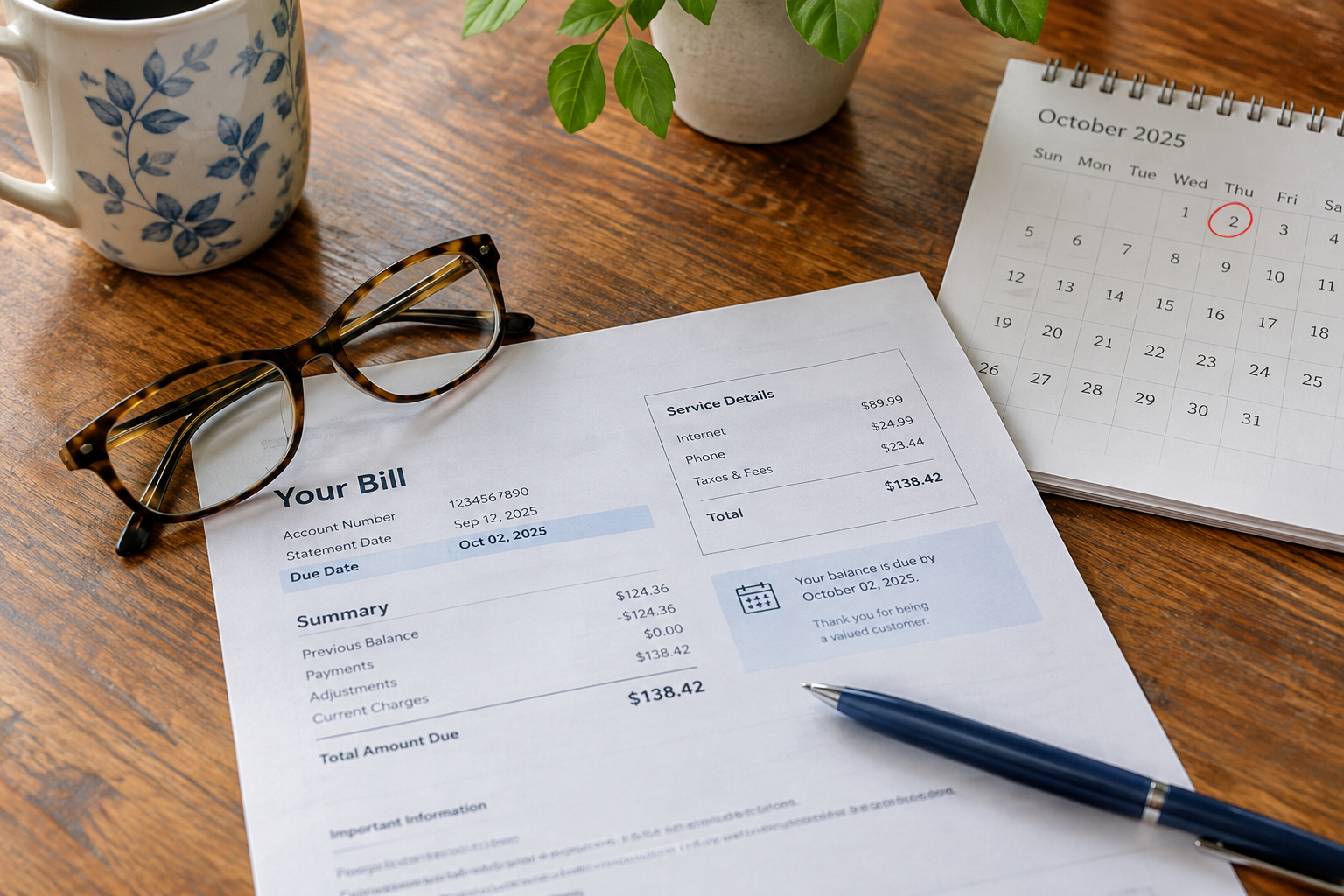
Your Xfinity Promo Is Ending. Here's What to Do 30 Days Before.
Most Xfinity bills have a date on them that matters more than any other: the day the promotional rate ends and the price jumps $20 to $60. Here's how to find it, what to say on the call, and what not to agree to.
Disclosure: Household Advocate is an independent bill review service and is not affiliated with any internet, cable, or phone provider mentioned in this post. We do not receive compensation from any provider. Our only goal is to help you find savings.
There's a date on your Xfinity account that matters more than any other, and most people don't know it. It's the day your promotional rate ends. After that, the same service often costs $20 to $60 more a month, with no change to what you get.
It doesn't arrive with a warning call. It shows up as a bigger number on a bill you were probably going to autopay without reading.
Here's how to find the date, and what to do once you have it.
First, figure out which kind of plan you're on
Comcast changed how it sells service in mid-2025. If you signed up recently, you may be on one of the newer plans where the price is locked for several years and the equipment fee is built in. If that's you, you don't have a promo cliff, and this post is mostly for reference.
If you've been a customer for more than a year or two, you're almost certainly on the older structure: a 12 or 24-month promotional rate followed by the "standard" rate. That's the one that jumps. Log in to your account or look at the first page of your paper bill. Promotional discounts are listed as line items with an end date, usually worded like "promotional discount expires 11/14/2026." Write that date down.
30 days before: know your number
Before you call anyone, write down two things. What you pay now, total, including the fees and taxes. And what the bill says you'll pay after the discount ends - it's usually printed there in smaller type. The difference is what you're negotiating over. If it's $20 or more a month, it's worth a phone call. If it's $8, it may not be.
Then check what new customers are being offered
Go to xfinity.com as if you were signing up fresh, and see what your same internet speed costs a new customer. That's your leverage. You are not asking for a favor. You're asking to pay what they're already charging the person down the street for the identical service.
The call
Call 1-800-XFINITY and when the menu asks, say "cancel service." That routes you to the retention team, which has offers the regular support line does not. You don't have to cancel anything. You say:
"My promotional rate ends on [date] and my bill is going up by [$X]. I've been a customer for [Y] years. New customers are getting [speed] for [$Z]. What can you do for me?"
Then stop talking. Let them look. If the first offer isn't close to the new-customer price, say so and ask if there's anything else. Two things that often work: asking whether there's a loyalty discount on your account, and asking what it would cost to drop a service you don't use. Many people are still paying for a landline or a TV tier they haven't watched in years, and removing it can cut more than any promo.
If you get nowhere, it's fine to end the call and try again another day. Different agents, different results. That's not a trick, it's just how it works.
What not to do
Don't accept a "free" upgrade to a faster speed as the solution. A faster plan at a higher price is not a discount. Don't agree to add Xfinity Mobile on the spot just to unlock a bundle price unless you've already compared it to your current cell plan. And don't let the promo lapse and then call; you lose leverage once you're already paying the standard rate, because now they have nothing to protect.
Checking this for a parent?
Ask them for the first page of the bill, or log in together, and find that one date. It tells you whether there's a call to make and how soon. If you'd like a second set of eyes, start at householdadvocate.com/help-a-parent.
If you'd rather not make the call
A lot of people hate this call, and the people who hate it most are the ones the cable company counts on to just pay. If you'd rather not, that's exactly what we're for. A real person reviews your bills and tells you exactly how much you can save - within three business days, free. You only pay when we find you savings.
Ready to find your savings? Click here to start your free bill review.

You Paid $150 for Cable to Watch That? How to Watch the Eagles for Free Next Time
Monday night's 27–7 loss in Chicago was rough enough. Paying a cable bill to watch it was worse, especially since the game was on ABC, free with a $25 antenna. Here's how to catch the next ones without cable.
Let's get it out of the way: Monday night was not the Birds' finest hour.
The Eagles walked into Soldier Field 2-0 and favored. The Bears were starting a backup quarterback. Then came three turnovers, ten penalties, and Chicago holding the ball for nearly 37 of the game's 60 minutes. The Eagles' only touchdown came with one second left in the first half. Final score: Bears 27, Eagles 7.
Now here's the part that stings a little more for some of you: if you paid a cable bill to watch that, you didn't have to.
That game was free
Monday Night Football usually lives on ESPN, a cable channel. But this week's game was also simulcast on ABC, a regular broadcast network. That means anyone in the Philadelphia area with a basic HD antenna (about $20–$30, one time, no monthly fee) watched the exact same loss for zero dollars a month.
Same Joe Buck. Same Troy Aikman. Same heartburn. Just no cable bill attached.
The next two Eagles games are free, too
Good news for anyone ready to put Monday behind them:
Sunday, Oct. 4: Rams at Eagles, 1:00 p.m. on FOX. Free with an antenna.
Monday, Oct. 26: Cowboys at Eagles, 8:15 p.m. on ESPN and ABC. Another Monday night game that's also on ABC, so it's free with an antenna. (If the Eagles are going to get embarrassed on national TV again, at least let it not be against Dallas.)
Most Eagles games air on FOX, CBS, NBC, or ABC, all of which an antenna picks up.
What about games that are only on ESPN?
This season, some Monday Night Football games air on ESPN only, with no ABC simulcast. None of the Eagles' remaining games are ESPN-only right now, but schedules can shift later in the season. And if you also follow college football, a lot of it lives on ESPN.
For those one-off nights, you don't need a monthly subscription. Sling TV sells a Day Pass for $4.99 that gives you 24 hours of its Sling Orange lineup, which includes ESPN. There are also longer passes if you want a weekend or a full week. A few things to know:
Passes are for Sling Orange only (that's the package with ESPN).
The 24 hours start when you activate it, so buy it close to kickoff, not the night before.
There are no refunds once it's activated.
Five bucks for one game beats paying for ESPN all month to watch one game.
Quick cheat sheet
Sunday afternoon games (FOX/CBS): Antenna, free
Monday Night Football on ABC: Antenna, free
Monday Night Football on ESPN only: Sling Day Pass, $4.99
Sunday Night Football (NBC): Antenna, free, or Peacock
Thursday Night Football: Amazon Prime Video
The bigger point
The Eagles will bounce back. Your cable bill won't fix itself.
If you're paying $150 or more a month for TV and you mostly watch the Birds and a handful of channels, there's a good chance you're paying for a lot you don't use. That's what we do at Household Advocate: we look at what you actually watch and what you're actually paying, and show you where the savings are. The review is free.
Ready to find your savings? Click here to start your bill review.

Cutting Cable TV in 2026: YouTube TV vs. Hulu + Live TV vs. DirecTV Stream vs. Sling vs. Fubo
Dropping cable but still want live local channels, news, and sports? That's what live TV streaming is for. Here's the plain English breakdown of YouTube TV, Hulu + Live TV, DirecTV Stream, Sling, and Fubo in 2026 — what each costs and which one fits your household.
You've decided to drop cable TV but you still want live local channels, your news, and your sports. That's what live TV streaming services are for. This is the plain English breakdown of what each one costs in 2026, what you get, and which one fits your household.
Disclosure: Household Advocate is an independent bill review service and is not affiliated with any internet, cable, or phone provider mentioned in this post. We do not receive compensation from any provider. Our only goal is to help you find savings.
First, an important distinction, because it trips a lot of people up. There are two completely different kinds of streaming:
- On-demand streaming (Netflix, Hulu, Disney+, Max) — shows and movies you watch whenever you want. We covered which of those to keep in a separate post.
- Live TV streaming (YouTube TV, Hulu + Live TV, DirecTV Stream, Sling, Fubo) — the live channels that replace your cable box. Local news, ESPN, CNN, live sports, all streaming over your internet.
This post is about the second kind — the services that take the place of your cable TV package. Here's how they stack up in 2026.
The Quick Comparison
| Service | Monthly Price | Channels | Best For |
|---|---|---|---|
| YouTube TV | $82.99 | 100+ | Most households — the all-arounder |
| Hulu + Live TV | $89.99 | 100+ | Disney+ and ESPN included |
| DirecTV Stream | $86.99+ | 90+ | Cable-style experience, regional sports |
| Fubo | $84.99+ | 200+ | Serious sports fans |
| Sling TV | $45.99+ | 30-50+ | Cutting cost, don't need all locals |
Prices are regular rates as of 2026 and don't include promotional discounts, which most services offer to new customers. Remember: all of these require a home internet connection, so factor that into your total.
YouTube TV — The All-Arounder ($82.99/month)
For most households, YouTube TV is the default recommendation. It carries the Philadelphia local channels (6abc, CBS3, NBC10, FOX29, PBS), all the major cable networks, ESPN, and the news channels — over 100 in total.
Its standout feature is unlimited DVR storage (recordings kept for nine months), which none of the others match. The interface is clean and it works on every device.
New in 2026: YouTube TV launched cheaper genre-based plans for people who don't need all 100+ channels:
- Entertainment Plan — $54.99/month (drama, lifestyle, comedy — no live sports)
- Sports Plan — $64.99/month (all the ESPNs, FS1, broadcast networks)
- Sports + News Plan — $71.99/month
If you watch a specific slice of TV, those tiers can save you $10-30 a month over the base plan.
Best for: the household that wants one service to replace cable and not think about it.
Hulu + Live TV — Two Services in One ($89.99/month)
Hulu + Live TV is priced higher, but the number is a little deceiving: it now includes Disney+ and ESPN bundled in. So if you were already paying for those separately, the real cost is lower than it looks.
You get 100+ live channels plus Hulu's enormous on-demand library. For a family that wants live TV and a deep catalog of shows and movies in one bill, it's strong value.
Best for: families who'd be paying for Disney+ and Hulu anyway.
DirecTV Stream — The Most Cable-Like ($86.99+/month)
DirecTV Stream feels the most like traditional cable — the channel guide, the layout, the heavy lineup. Its base Entertainment plan starts at $86.99, and it climbs from there (Choice and Ultimate plans run $94.99-$124.99).
Its real advantage is regional sports networks — important if you want to watch the Phillies, Sixers, or Flyers, which the cheaper services often don't carry. Note that regional sports can add a fee on top of the base price.
DirecTV also offers cheaper genre packs (MyEntertainment at $34.99, MySports at $69.99) if you want a narrower lineup.
Best for: former cable customers who want the familiar experience and regional sports.
Fubo — Built for Sports Fans ($84.99+/month)
Fubo started as a sports-first service and it shows — 200+ channels with deep sports coverage and lots of 4K. The Pro plan is $84.99, Elite is $94.99.
The catch for some: Fubo lacks the Warner-owned channels (TNT, TBS), which carry a chunk of NBA and MLB playoff coverage. And like DirecTV, regional sports fees can add to the bill.
Best for: households where live sports is the whole point.
Sling TV — The Budget Option ($45.99+/month)
Sling is the cheapest way into live cable channels. It splits into two packages:
- Sling Orange ($45.99) — ESPN and Disney-family channels
- Sling Blue ($45.99) — FOX, NBC, and news/entertainment channels
- Orange + Blue ($60.99) — both combined
The trade-off: limited local channel coverage. Sling carries locals only in select markets, and its channel count is lower across the board. But here's the smart move — pair Sling with a free over-the-air antenna (see our antenna guide) and you get your local channels for free plus Sling's cable channels for $45. That combination is one of the cheapest real cable replacements available.
Best for: cost-cutters who'll add an antenna for locals.
Which One Should You Pick?
| If you want... | Choose |
|---|---|
| One service that just replaces cable | YouTube TV |
| Disney+ and ESPN included | Hulu + Live TV |
| Regional sports (Phillies/Sixers/Flyers) and a cable feel | DirecTV Stream |
| Maximum live sports | Fubo |
| The lowest price (and you'll add an antenna) | Sling TV |
The One Thing Everyone Forgets
Every one of these runs over your home internet — so you still need a solid internet plan. The good news: dropping your cable TV package and keeping internet-only often saves $50-80 a month even after you add a streaming service. And if you buy your own modem and add an antenna for locals, the savings stack even higher.
The mistake people make is signing up for the most expensive service ($90/month) when a $45 Sling-plus-antenna setup would have covered everything they actually watch.
Not Sure Which Setup Fits Your Household?
The honest answer depends on what you watch, which teams you follow, and what's available at your address. That's exactly what Household Advocate sorts out for you. We review your current TV and internet bills, look at what you actually watch, and give you a plain English recommendation — which service, which plan, and how to set it up — so you replace cable without overpaying for channels you'll never turn on.

Is That Call About Your Bill a Scam? How to Spot It Before You Pay a Dime
The phone rings. It's "Xfinity," and you need to pay right now or lose service in 30 minutes. That panic is exactly the point. Here's how to tell a real billing call from a scam — every time — before you hand over a single dollar.
The phone rings. It's "Xfinity," and there's a problem with your bill — you need to pay right now or your service gets shut off in 30 minutes. Your heart rate jumps. That panic is exactly the point. Here's how to tell a real billing call from a scam, every time, before you hand over a single dollar.
Disclosure: Household Advocate is an independent bill review service and is not affiliated with any internet, cable, or phone provider mentioned in this post. We do not receive compensation from any provider. Our only goal is to help you find savings.
Scammers love cable, internet, and phone bills. Everyone has them, everyone worries about them, and the threat of losing service creates instant panic. They impersonate Xfinity, Verizon, AT&T, and others — and they're convincing, because they've done their homework and the caller ID often shows the real company's name.
The reassuring truth: these scams almost always follow the same script, and once you know the red flags, they fall apart fast. Here's what to watch for.
The Most Common Bill Scams Right Now
The "pay now or we shut it off" call. Someone claiming to be your provider says your account is overdue and service will be disconnected in minutes unless you pay immediately. The urgency is manufactured to stop you from thinking.
The fake discount or "loyalty" offer. A caller offers a huge discount — "50% off for two years" — but you have to lock it in right now by prepaying, often with a gift card or by giving your bank details. Real discounts don't require gift cards.
The overpayment / refund scam. You're told you overpaid and they owe you a refund. They just need your bank login or to "verify" your account by remote access to your computer. The "refund" is the bait; account access is the goal.
The phishing text or email. A message that looks like it's from Xfinity or Verizon says your payment failed or your account is locked, with a link to "update your billing." The link goes to a fake page built to steal your login and card number.
The door-to-door switch. Someone shows up claiming to be from a provider offering a deal that's only good if you sign today. High pressure, no paperwork you can review.
The Red Flags — If You See These, It's a Scam
No matter how the contact comes in, these signs give it away:
1. Urgency and threats. "Pay in the next 30 minutes or lose service." Real providers send written notices and give you weeks, not minutes. Urgency is the scammer's number one tool.
2. Unusual payment methods. Gift cards (Amazon, Target, Apple), cryptocurrency, wire transfer, Zelle, Venmo, or Cash App. No legitimate cable or phone company will ever ask you to pay with a gift card. This one red flag alone tells you it's a scam, full stop.
3. They ask for things they should already have. Your full Social Security number, your online password, a verification code texted to your phone, or remote access to your computer. A real provider doesn't need your password or an SSN over the phone to take a payment.
4. The caller ID looks right but the request is wrong. Scammers can fake ("spoof") caller ID to show the real company's name and number. Seeing "Xfinity" on your screen proves nothing. Judge the request, not the caller ID.
5. Unsolicited contact about money. They called or texted you out of the blue about a refund, a problem, or a deal. When in doubt, you contact them — never the other way around.
How Real Billing Actually Works
Knowing the legitimate process makes the fake one obvious:
- Real providers send written notices — by mail, email, and in your online account — well before any disconnection, with clear dates.
- You can always log into your account or check your paper bill to see your real balance and due date.
- Real companies take normal payments: a card or bank account through their official app, website, or phone line. Never a gift card.
- Real retention discounts are applied to your account and show up on your bill — they don't require prepaying a stranger.
What to Do If You Get a Suspicious Call
Hang up. You don't owe a caller your time, and hanging up on a scammer is not rude — it's smart.
Don't call back the number they gave you. Look up the official number on your actual bill or the back of your provider's card, and call that. If the problem is real, the official line will know about it. If it's not, you've confirmed it was a scam.
Never pay or share information under pressure. A real issue will still be there in ten minutes after you verify. A scam falls apart the moment you slow down.
Don't click links in unexpected texts or emails. Go to the provider's website by typing the address yourself, or use their official app.
If you're not sure, ask someone you trust. A quick call to a family member or friend before you pay can stop a scam cold. Scammers count on isolating you in the moment — looping in another person breaks the spell.
If You Think You've Been Targeted
- Report it to the FTC at ReportFraud.ftc.gov — it's quick and it helps stop the scam from spreading.
- Call your real provider using the number on your bill to confirm your account is fine.
- If you shared bank or card details, call your bank right away to flag the account.
- If you paid with a gift card, contact the card company immediately — sometimes funds can still be stopped.
A Word for Anyone Helping an Older Relative
These scams disproportionately target seniors, and the most protective thing you can do is normalize the pause. Let the people you care about know: it's always okay to hang up and call the company back on the official number. No real company will ever penalize someone for verifying. Making that the family rule — we always hang up and call back — defeats nearly every version of this scam.
We're On Your Side
At Household Advocate, our entire job is being a real person in your corner on cable, internet, and phone bills — no pressure, no gimmicks, no scare tactics. If you ever get a call or message about your bill and you're not sure whether it's real, that's exactly the kind of thing we're happy to help you think through. And when you want to actually lower your bills, we review them and give you a plain English plan with no hard sell, ever.

Should You Bundle Your Internet, TV, and Phone? The Math Most People Get Wrong
"Bundle and save" is one of the most effective sales lines in the cable business. Sometimes it's true — more often, the bundle is how you end up locked into services you don't use at a price that quietly climbs. Here's how to tell the difference and run the math the way the cable company hopes you won't.
"Bundle and save" is one of the most effective sales lines in the cable business. Sometimes it's true. More often, the bundle is how you end up locked into services you don't use at a price that quietly climbs. Here's how to tell the difference — and how to run the math the way the cable company hopes you won't.
Disclosure: Household Advocate is an independent bill review service and is not affiliated with any internet, cable, or phone provider mentioned in this post. We do not receive compensation from any provider. Our only goal is to help you find savings.
Every cable company pushes bundles — internet, TV, and phone packaged together for one "discounted" price. The pitch is always the same: it's cheaper to buy them together than separately.
The truth is more complicated. Bundling can genuinely save money in a few specific situations. But for most households, the bundle is doing something else: making it hard to see what you're really paying for each piece, and hard to drop the parts you don't need. Let's break down when a bundle helps and when it traps you.
How Bundles Are Designed to Work
A bundle combines two or three services into one line item with one promotional price. That sounds convenient. Here's what it does underneath:
It hides the price of each service. When internet, TV, and phone are mashed into one number, you can't easily see that you're paying $85 for TV channels you barely watch. The bundle is built to be evaluated as a whole, not piece by piece — which is exactly what keeps you from cutting the weak part.
It makes canceling one service painful. Want to drop cable TV but keep internet? In a bundle, that often "breaks" your promotional pricing, and the company warns that your remaining internet price will go up. So people keep paying for TV they don't watch just to protect their internet rate.
It resets and climbs. Bundle promos are almost always introductory. After 12 or 24 months the rate jumps, and because it's one combined bill, the increase is harder to spot than it would be on a single service.
When a Bundle Actually Saves You Money
To be fair, bundles aren't always a bad deal. A bundle genuinely makes sense when:
- You truly use all the services. If you watch cable TV regularly, need the internet, and use a home phone, and the bundled price beats buying each separately — bundle away.
- The home phone is nearly free inside the bundle. Sometimes adding phone to an internet-plus-TV package costs only a few dollars, which can be worth it for an older relative who relies on a landline.
- The first-year math clearly wins. If the bundle's real all-in price (including equipment fees and taxes) is lower than the separate prices, and you'll re-shop before the promo expires, it's a legitimate saving.
The key phrase there is "re-shop before the promo expires." Bundles reward people who stay on top of them and punish people who set it and forget it.
When Unbundling Wins (Which Is More Often)
For a growing number of households, taking the services apart saves more:
You don't watch much cable TV. If you mostly watch local channels and a couple of streaming apps, you're paying $60-90 inside the bundle for a cable TV package you could replace with a free antenna and one streaming service.
You want honest pricing. Internet-only plans are easier to compare across providers and easier to negotiate. When the price isn't tangled up with TV and phone, you can actually see what you're paying.
You're keeping a home phone out of habit. Many bundled landlines exist only because they were "free" at signup. If no one uses it, that's bundle padding.
The Unbundle-and-Rebuild Approach
Here's the strategy that saves the most for the typical household. Instead of one bundle, you build your own:
- Internet only — the one service you genuinely need. Shop it on its own and negotiate the best standalone rate. Buy your own modem to kill the rental fee.
- TV — replace the cable package with a free over-the-air antenna for locals, plus one live TV streaming service (or just streaming apps) for the rest.
- Phone — move your cell service to a smaller carrier on the same network for a fraction of the price, and drop the landline if no one uses it.
Built this way, a household paying $220/month for a bundle often lands around $90-120 for the same things they actually use — and every piece is visible and easy to adjust.
A Simple Decision Checklist
Run through these before you sign or renew a bundle:
- Do I actually use all three services? If not, you're padding the bill.
- What's the price after the promo ends? Ask for the exact number, in writing.
- What happens to my internet price if I drop TV? If dropping TV raises internet a lot, the "bundle discount" was mostly a TV trap.
- What are the equipment fees? A bundle with three rented boxes can quietly add $30-45/month.
- Could an antenna plus streaming replace the TV half? For most people, yes.
- When does the promo expire, and will I re-shop then? If you won't, assume the price climbs.
The Bottom Line
Bundles aren't a scam — but they're built to be evaluated as a single number, and that's exactly what costs people money. The households that win either use every service and re-shop on schedule, or they unbundle and rebuild around the one service they truly need. The households that lose are the ones who let a combined bill quietly climb for years because it was too tangled to take apart.
Not Sure Whether to Bundle or Break It Up?
This is one of the most common questions we get, and the answer is different for every household — it depends on what you watch, what you use, and what's available at your address. That's exactly what Household Advocate sorts out. We review your current bill, run the real math on bundling vs. unbundling for your specific situation, and give you a plain English plan for the cheapest way to get everything you actually use.
Are Bill Negotiation Services Worth It? An Honest Comparison
Billshark, BillCutterz, and Rocket Money will lower your bills for a cut of the savings. Here's how their fees actually work, when they're worth it, and how we're different - including a free script to negotiate on your own.
If you've searched for help with a high cable or internet bill, you've probably run into companies that offer to negotiate it for you. Billshark, BillCutterz, and Rocket Money are the best known. People ask us about them all the time, usually some version of "isn't that what you do?"
Not quite. And the difference is worth understanding before you hand anyone your account.
We'll say the most important thing first, because nobody else in this business will: you can do all of this yourself, for free. Call your provider, ask for the retention department, ask what promotions you qualify for. That's the whole trick. There's a script at the bottom of this page, and you're welcome to use it and never speak to us again. Anyone who tells you this requires a professional is selling you something.
What you're actually deciding is whether you want to make that call yourself.
How the national services charge
These companies work the same basic way. You upload your bill or link an account, a negotiator contacts your provider, and if they lower your bill, they take a percentage of the savings.
Billshark charges 40% of the savings they find. Their own published example: if they cut your bill by $100 a month on a twelve-month arrangement, that's $1,200 in savings, and their fee is 40% of that, or $480. They also charge a flat fee to cancel a subscription for you.
BillCutterz charges 50% of your savings, or 40% if you pay in a single installment instead of monthly.
Rocket Money (formerly Truebill) charges $7 to $14 a month for its Premium tier, and bill negotiation costs an additional 35% to 60% of your first-year savings.
Figures verified July 2026 against each company's published terms. These change - check before you sign anything.
What's genuinely good about them
We're not here to run them down. They do real things well, and for some people they're the right choice.
They only charge you if they succeed. That's a real protection, and we won't pretend otherwise. They handle bills we don't touch, including home security, satellite radio, and in some cases insurance. They operate nationally, with large teams. And they do the calling for you, start to finish, which for a lot of people is the entire point.
If you have five different kinds of bills and no interest in ever thinking about them, one of these services is probably a reasonable choice.
What to understand before you sign up
Two things about percentage-of-savings pricing catch people off guard.
The fee is usually charged up front, based on projected savings. If a service cuts your bill by $50 a month on a twelve-month deal, you may be billed for a full year's worth of their cut right away - before you've actually saved any of it. If you move, switch providers, or cancel that service a few months later, you've paid for savings you'll never receive. Refunds in that situation are often possible, but you usually have to ask, with documentation.
Once you sign up, you generally can't decline the result. With most of these services, if they successfully negotiate a lower rate, the fee is owed. You don't get to look at the new plan and say no thanks. That matters if the "savings" came with a longer contract or a smaller channel lineup than you wanted.
Neither of these is hidden. Both are in the terms of service. But terms of service are not what most people read before clicking sign up.
How we do it differently
We're one small business, based in the Lehigh Valley in eastern Pennsylvania, and we made deliberately different choices.
We tell you what we found before you pay anything. Your review is free. We tell you exactly how much we believe you can save, and only then do you decide whether you want the detailed plan.
We charge a flat one-time fee, not a percentage. Not a cut of a year's projected savings. One fee, based on the monthly savings we actually verified, and you know the number before you agree to it. If we find less than $20 a month, there's no fee at all.
You stay on your own account. When we help with the calls, it's a three-way call with you on the line - not us negotiating in your place behind the scenes. You hear every word, and you stay in control.
We only take credit for what we actually found. If you already negotiated a discount last year, that's yours. It isn't savings we produced, and we won't bill you for it.
We're also not for everyone. We only work on cable, internet, and phone bills. We don't touch medical bills, insurance, or credit card rates. If you want one service to handle every recurring charge in your life, we're not that service.
Which should you choose?
Do it yourself if you're comfortable on the phone and have twenty minutes. It costs nothing, and you keep 100% of the savings. The script is right below.
Consider a national service if you have many kinds of bills beyond TV, internet, and phone, or you want someone to handle everything without your involvement at all.
Consider us if you'd rather know what you're paying before you pay it, want a flat fee instead of a percentage, and would rather have a real person on the call with you than acting in your place.
The free script
Call the number printed on your bill - always the number on your bill, never one from a search result or a text message.
Ask to be transferred to the retention or loyalty department. Front-line customer service usually can't offer what retention can.
Then say: "I've been a loyal customer, but this bill has gotten too high for my budget. I'd like to stay. What promotions am I eligible for?"
Ask directly: "Have any discounts on my account expired?" Promotional rates end quietly after twelve or twenty-four months, and nobody calls to tell you.
Before accepting anything, ask two questions: "Is this a promotional rate, and what will it cost when it ends?" and "Are there any new fees or contract terms?"
Write down every offer and say you'd like to think about it. That's always allowed, and it frequently produces a better second offer.
If that works, wonderful - that's genuinely why we published it. If you'd rather not make the call, that's what we're here for.
Disclosure: Household Advocate is an independent bill review service and is not affiliated with any internet, cable, or phone provider mentioned in this post. We do not receive compensation from any provider. Our only goal is to help you find savings.
Ready to find your savings? Click here to start your bill review.

Internet and Phone Discounts for Seniors in 2026: What Still Exists After ACP Ended
Searched for the "$30 government internet discount" and come up empty? That program ended in 2024 — but several real discounts still exist in 2026, and many seniors who qualify never claim them. Here's a plain English rundown of what's actually available on internet and phone bills.
If you've searched for the "$30 government internet discount" lately and come up empty, you're not imagining it — that program is gone. But several real discounts still exist in 2026, and a lot of people who qualify never claim them. Here's an honest, plain English rundown of what's actually available.
Disclosure: Household Advocate is an independent bill review service and is not affiliated with any internet, cable, or phone provider mentioned in this post. We do not receive compensation from any provider. Our only goal is to help you find savings.
For three years, millions of households got up to $30 a month off their internet bill through the Affordable Connectivity Program (ACP). Then Congress let the funding run out, and the program ended on June 1, 2024. No new federal program has replaced it.
That's the bad news, and it's worth saying plainly because the internet is still full of out-of-date pages telling you to "apply for the $30 credit." Don't waste time on those — it's gone.
The good news: real discounts still exist. They're smaller and you have to know where to look, but for seniors and households on a fixed income, they're worth claiming. Here's what's left.
1. Lifeline — The Federal Discount That Survived
Lifeline is the older, permanent federal program that the ACP was built on top of. When the ACP ended, Lifeline stayed. It's run by the FCC and it's been around since 1985.
What you get: up to $9.25 per month off your phone OR internet bill (up to $34.25 if you live on qualifying Tribal lands). You apply it to one or the other, not both.
Who qualifies:
- Household income at or below 135% of the federal poverty guidelines (about $20,331/year for a person living alone), OR
- You participate in SNAP, Medicaid, Supplemental Security Income (SSI), Federal Public Housing Assistance, or Veterans Pension and Survivors Benefits
How to apply: Go to lifelinesupport.org and use the online application, or call 1-800-234-9473 to request a paper form. Once approved, you choose a participating provider and the discount comes off your bill automatically.
One thing to know in our area: not every provider participates. Verizon participates in Lifeline for Fios and its wireless home internet. Comcast/Xfinity does not participate in Lifeline — but it runs its own low-cost program instead, which is next on the list.
2. Xfinity Internet Essentials — Comcast's Own Program
Comcast's low-income program predates the ACP and is still running. It's often the single best deal in the Philadelphia area because Comcast covers most of the region.
Internet Essentials — $9.95/month for internet up to 50 Mbps, with no credit check, no deposit, and no contract.
There's also an Internet Essentials Plus tier (around $29.95/month) for faster speeds.
Who qualifies: households participating in programs like Medicaid, SNAP, SSI, or other federal assistance.
Here's the powerful part: if you qualify for both Lifeline and Internet Essentials, you may be able to stack them — applying the $9.25 Lifeline credit could bring an Internet Essentials plan to just a few dollars a month. Ask the provider directly, since stacking rules vary.
To apply, search "Xfinity Internet Essentials" and apply through Comcast's program page.
3. Other Provider Low-Cost Plans
If you're not in Comcast territory, the other major providers run similar programs:
- AT&T Access — up to $30/month for qualifying low-income households
- Spectrum / Cox low-income plans — roughly $9.95-$30/month depending on the provider and your area
- Verizon Forward — Verizon's discount program for income-qualified customers (ask Verizon directly about current terms)
The pattern is the same everywhere: these are specific low-cost plans you qualify for, not a credit that stacks on any plan like the ACP did. Your first question is always which provider actually serves your address — that determines which program you can use.
4. Cell Phone Discounts for Seniors
Your phone bill is often where the biggest savings hide, and seniors have extra options:
Lifeline on a cell line. You can apply your $9.25 Lifeline discount to a mobile plan. Companies like SafeLink and Assurance Wireless use the Lifeline subsidy to provide a basic smartphone with a set amount of minutes and data at little or no monthly cost. (One rule to remember: you have to use the phone at least once every 30 days or service can be cut off.)
Consumer Cellular + AARP. Consumer Cellular runs on AT&T's network, is built around senior-friendly service, and gives AARP members a 5% discount plus other perks. Plans start around $20/month.
The MVNO move. As we've covered before, smaller carriers like Consumer Cellular, Mint Mobile, and Visible run on the exact same Verizon, AT&T, and T-Mobile towers for a fraction of the price. A senior paying $75/month on a major carrier can often drop to $25-45 for identical coverage — no discount program required, just a switch.
What's Gone vs. What's Real — At a Glance
| Program | Status in 2026 | What You Get |
|---|---|---|
| Affordable Connectivity Program (ACP) | Ended June 2024 | Nothing — don't apply |
| Lifeline | Active | $9.25/mo off phone or internet |
| Xfinity Internet Essentials | Active | Internet from $9.95/mo |
| AT&T Access | Active | Internet up to $30/mo |
| Consumer Cellular + AARP | Active | 5% member discount, plans from $20/mo |
| Lifeline cell (SafeLink/Assurance) | Active | Basic phone, low or no cost |
A Note on State Programs
A handful of states run their own supplements on top of federal Lifeline. Pennsylvania has its own Lifeline-related provisions through participating phone companies, and it's worth asking your provider whether anything extra applies in your case. These vary, so the only way to know is to ask directly when you apply.
Not Sure What You Qualify For?
Sorting out which discount you're eligible for, which provider serves your address, and whether you can stack programs takes time and patience — and the providers don't make it easy on purpose. That's exactly what Household Advocate is here for. We review your bills, check what's available where you live, and give you a plain English plan for every discount you qualify for and exactly how to claim it.
This post is for general information. Program details, eligibility, and prices change — confirm current terms directly with the provider or at lifelinesupport.org before enrolling.

Free Local TV in Philadelphia: How an Antenna Gets You ABC, CBS, NBC, FOX, PBS - and Eagles Games
You're paying $20-25 a month in "Broadcast TV Fees" for local channels the cable company is required to carry anyway - channels you can get for free with a one-time $20-40 antenna. Here's what you'll pick up in the Philadelphia area, which antenna to buy, and whether it's right for your household.
You're paying $20-25 a month in "Broadcast TV Fees" for channels the cable company is legally required to carry - channels you can get for free, in better quality, with a one-time $20-40 purchase. Here's how an antenna works in the Philadelphia area, what you'll actually pick up, and whether it's right for your household.
Disclosure: Household Advocate is an independent bill review service and is not affiliated with any internet, cable, or phone provider mentioned in this post. We do not receive compensation from any provider. Our only goal is to help you find savings.
Here's a fact most Philadelphia households don't know: the local channels you watch most — 6abc, CBS3, NBC10, FOX29, PBS — broadcast their signal for free, over the air, all day, every day. You don't need cable to get them. You need a $20-40 antenna and about ten minutes. Even better: the picture is often sharper than what you get through cable, because the signal isn't compressed. Here's everything you need to know.
What You're Actually Paying For Right Now
Look at your Xfinity or Verizon bill and find the line labeled "Broadcast TV Fee." In the Philadelphia market it typically runs $20-25 per month.
That fee exists for one reason: to charge you for the local broadcast channels — ABC, CBS, NBC, FOX, PBS — that the provider is legally required to carry anyway. It has nothing to do with the rest of your cable package. It's a fee for the exact channels an antenna gives you for free.
That's $240-300 a year for something that's broadcasting through the air, over your house, at this very moment.
What You'll Pick Up in the Philadelphia Area
Most of the region's broadcast towers sit in the Roxborough antenna farm in Northwest Philadelphia, which is why reception across the city and inner suburbs is generally excellent. Many homes in Delaware, Montgomery, Bucks, and Chester Counties — and across the river in South Jersey — are within 10-20 miles of the towers.
Here's what a typical Philadelphia-area antenna pulls in:
| Channel | Network | What You Watch |
|---|---|---|
| 6 (WPVI) | ABC | 6abc Action News, Eagles games (when on ABC), Oscars |
| 3 (KYW) | CBS | CBS3 News, NFL on CBS, big events |
| 10 (WCAU) | NBC | NBC10 News, Sunday Night Football, The Tonight Show |
| 29 (WTXF) | FOX | FOX29 News, NFL on FOX (most Eagles games), MLB |
| 12 (WHYY) | PBS | Masterpiece, documentaries, PBS Kids |
| 57 (WPSG) | The CW | Phillies games (on local CW), primetime CW shows |
| Plus | 17+ subchannels | MeTV, Antenna TV, Ion, Court TV, weather, and more |
Most Philadelphia-area households receive 17 to 25+ free HD channels depending on location and antenna.
For Eagles fans, this is the headline: the large majority of Eagles games air on FOX, CBS, or NBC — all free over the air. Sunday Night Football (NBC), most Sunday afternoon games (FOX/CBS), and nationally broadcast playoff games all come in with an antenna. You only miss the handful of games on cable-only networks like ESPN or Prime Video.
Which Antenna Do You Need?
This is where people overthink it. For most Philadelphia-area homes, a simple flat indoor antenna is all it takes. Here's how to choose:
If you live in the city or inner suburbs (within ~15 miles of Roxborough) — Delaware County, lower Montgomery County, Northeast Philly, Camden County NJ — a basic flat-panel indoor antenna works beautifully. Tape it to a window facing the city or mount it high on a wall.
- GE flat panel antenna — the simplest option, around $20-30
- GE ultra-thin antenna — paintable, hides against the wall
If you live farther out (20-40 miles — outer Bucks, Chester County, western Montgomery) — you'll want an amplified or longer-range antenna to pull a clean signal.
- Antennas Direct ClearStream — stronger range, can be placed in an attic or outdoors for the most reliable reception
These are Amazon affiliate links — we earn a small commission if you purchase, at no extra cost to you.
A quick tip: buy one with a free return policy. Every home is different — terrain, walls, and how close you are to the towers all matter — so it's worth confirming reception before you commit. You can keep your cable running while you test.
How to Set It Up (Ten Minutes, No Tools)
- Plug the antenna's coaxial cable into the "ANT IN" port on the back of your TV.
- Position the antenna high and near a window if possible, ideally facing toward Philadelphia (toward Roxborough).
- On your TV remote, go to Menu → Settings → Channels → Channel Scan (sometimes called "Auto Program" or "Antenna Setup").
- Let it scan. In a few minutes it'll find every free channel in range.
- If a channel you want is fuzzy, move the antenna a few feet and rescan. Small adjustments make a big difference.
That's it. No bill, no contract, no equipment rental, ever again.
Is an Antenna Right for Your Household?
An antenna is a great fit if:
- You mostly watch local news, network primetime shows, and football
- You're already streaming Netflix, Hulu, or similar for everything else
- You want to drop the cable TV package (and that Broadcast TV Fee) entirely
- You're keeping internet but cutting the TV portion
An antenna alone isn't enough if:
- You watch a lot of cable channels — ESPN, HGTV, Food Network, CNN, Fox News (those need a streaming service or cable)
- You want every Phillies, Sixers, or Flyers game (regional sports networks aren't broadcast over the air)
- You're in a low-signal pocket far from the towers with lots of hills or trees
For most people, the sweet spot is an antenna for free local channels plus one inexpensive streaming service for the cable channels you actually watch. That combination replaces a $150 cable bill for a fraction of the cost.
The Real Math
| Item | Monthly | Yearly |
|---|---|---|
| Broadcast TV Fee you're paying now | $20-25 | $240-300 |
| Antenna (one-time purchase) | $0 | ~$25 once |
| Savings after year one | $20-25/mo | $240-300/yr |
And that's just the fee. If an antenna lets you drop your full cable TV package and keep internet only, the savings climb to $50-100 a month.
Not Sure What You Can Cut?
Figuring out which channels you'd lose, what you'd keep, and whether an antenna plus streaming covers your household — that's exactly what Household Advocate is here for. We review your complete TV, internet, and phone bills and give you a plain English plan for exactly what to keep, what to cut, and what to switch — including whether a simple antenna can knock that Broadcast TV Fee off your bill for good.

How to Negotiate Your Cable Bill: A Script That Actually Works
A single 20-minute phone call can reduce your cable bill by $20-50 a month. The secret is asking for the retention department — the people who actually have the authority to offer discounts. Here's the exact script, word for word, including the one question that always gets you a better offer.
Disclosure: Household Advocate is an independent bill review service and is not affiliated with any internet, cable, or phone provider mentioned in this post. We do not receive compensation from any provider. Our only goal is to help you find savings.
Your cable or internet bill went up again. You noticed it on your statement, felt a flash of frustration, and then paid it anyway. Most people do.
But here's what most people don't know: a single 20-minute phone call can reduce your bill by $20-50/month. The retention department at every major cable company has the authority to offer discounts, waive fees, and extend promotional rates — they just don't offer unless you ask.
Here's exactly how to do it.
Before You Call — Three Things to Do First
1. Know what you're paying now Pull up your most recent bill. Write down: your current monthly total, how long you've been a customer, and whether you're under a promotional rate that's expiring.
2. Know what competitors are charging Spend 5 minutes before the call:
- Visit verizon.com and enter your address to see Fios pricing
- Check t-mobile.com/home-internet for your address
- Note the competitor's price for comparable service
You don't have to be willing to actually switch — but having a real number to reference is your leverage. The rep can see what's available in your area too.
3. Know what you want to ask for Be specific. "Lower my bill" is vague. "Remove the broadcast TV fee and extend my promotional rate" is specific.
When to Call — Timing Matters
Best times to call:
- Monday through Thursday, morning hours (9am-12pm)
- When your promotional rate is about to expire
- When you receive a price increase notice
- Annually — even if nothing has changed
Avoid:
- Friday afternoons and evenings — retention reps are tired and offers are weaker
- After a major outage — hold times are long and reps are overwhelmed
- The last week of the month — quotas are being pushed
The Script — Word for Word
Step 1: Get to the right department
Call the main customer service number for your provider:
- Xfinity/Comcast: 1-800-934-6489
- Spectrum: 1-844-481-5997
- Cox: 1-800-234-3993
- Optimum: 1-866-200-7273
When the automated system answers, say or press the option for "cancel service." This routes you to the retention department faster than asking for "billing" or "customer service." You are not actually canceling — you're getting to the people with the authority to offer discounts.
Step 2: The opening
When a rep answers:
"Hi, I've been a customer for [X years] and I've noticed my bill has gotten quite high — particularly with some of the fees that have been added over time. I was looking at some other options in my area and I'm hoping we can find a way to reduce my bill before I make any decisions."
Say this calmly and politely. You are not angry. You are a reasonable person with options.
Step 3: Listen to their first offer
They will almost always make an offer immediately — a promotional credit, a package change, or a rate reduction. Write it down. Do not accept the first offer.
Step 4: Push for more
"I appreciate that. Is that the best rate you're able to offer? I was looking at [Verizon Fios / T-Mobile Home Internet] at [their price] for comparable service. Is there anything closer to that?"
This is where the second, better offer typically comes. A rep who said they could save you $10 may come back with $20-30 when they realize you have a real alternative.
Step 5: Target specific fees
If they haven't addressed specific fees, ask:
"I'm also looking at the broadcast TV fee — it's $[amount] per month. Is that something that can be reduced or waived for a loyal customer?"
"I've been paying the service protection plan for a while — I'd like to cancel that."
"Is there a loyalty discount or retention rate available for customers who've been with you as long as I have?"
Step 6: Ask the magic question
Before agreeing to anything:
"Is that the absolute best you can do for me today?"
This simple question frequently results in one more offer — an additional credit, a waived fee, or a free equipment upgrade.
Step 7: Get it in writing
"Can you send me a confirmation email or a text summary of the changes we just made? I want to make sure my next bill reflects everything we discussed."
This is important. Without written confirmation, disputed changes can disappear. Always ask.
What to Expect — The Realistic Outcomes
Best case (you have real alternatives in your area):
- $20-40/month reduction in base rate
- Broadcast TV fee waived or reduced
- Service protection plan canceled
- Possible free equipment upgrade
- Total savings: $35-60/month / $420-720/year
Typical case:
- $10-20/month promotional credit for 12 months
- One or two fees reduced
- Total savings: $15-30/month / $180-360/year
Worst case (no real alternatives in your area):
- Provider knows you can't easily switch
- Small credit of $5-10/month
- Still better than nothing
The honest reality: Even a 10-minute call that saves $15/month is $180/year for 10 minutes of work. Most people who make this call save something.
If the First Rep Can't Help
Sometimes the first person you reach genuinely doesn't have the authority to offer meaningful discounts. If you're not getting traction:
"I understand. Is there someone in customer retention who might have more flexibility? I'd rather not have to switch providers but I do need to see some movement on this bill."
Asking for a supervisor or a different department is completely reasonable. The second rep frequently has more authority.
Sample Real-World Savings
Here's what this kind of call can look like in practice:
Someone in southeastern Pennsylvania paying $112/month for Xfinity internet and TV cited a neighbor's switch to Verizon Fios for $69/month. After asking for the retention department and mentioning the competitor price, she received a $20/month loyalty discount and got her broadcast TV fee of $14 removed — saving $34/month, or over $400/year, in an 18-minute call.
Someone in the Lehigh Valley paying $95/month for RCN/Astound internet called when his promotional rate expired. He was offered a 12-month promotional extension that kept his rate at $59/month rather than jumping to the post-promotion price.
When Negotiating Isn't Enough
For some customers — especially those on post-promotional pricing with fees piled on — negotiating gets you a partial discount when you really need a full reset. Switching providers, buying your own modem, or cutting cable TV entirely may save significantly more than a retention discount.
Figuring out which combination of moves actually makes sense for your household — your specific address, your specific services, your specific usage — is exactly what Household Advocate does.

Hidden Fees on Your Cable Bill and How to Fight Back
You signed up for a $49.99 cable and internet bundle. Your first bill was $87. The difference isn't a mistake — it's fees. Broadcast TV fees, regional sports fees, equipment rental, service protection plans. Here's exactly what's hiding on your bill and how to fight back.
Disclosure: Household Advocate is an independent bill review service and is not affiliated with any internet, cable, or phone provider mentioned in this post. We do not receive compensation from any provider. Our only goal is to help you find savings.
You signed up for a $49.99/month cable and internet bundle. Your first bill was $87.
Sound familiar?
The difference between the price you were quoted and the price you actually pay is called "fee creep" — and cable companies have turned it into an art form. Here's exactly what's hiding on your bill and what you can do about it.
The Fees You're Probably Paying
Broadcast TV Fee — $15-25/month This is the most egregious fee on most cable bills. Cable companies charge you separately for the local broadcast channels — ABC, NBC, CBS, FOX, PBS — that they are legally required to carry anyway. The fee has grown from about $1/month in 2010 to $15-25/month today, and it goes up almost every year.
What you can do: Ask the retention department to waive or reduce it. If you're threatening to cancel, this is often the first fee they'll drop.
Regional Sports Network Fee (RSN) — $8-15/month This fee covers channels like NBC Sports Philadelphia, MASN, and similar regional sports networks. Even if you never watch sports. Even if the team in your region just moved or changed networks. Even if you explicitly don't want it.
What you can do: Downgrade to a package that doesn't include RSN channels. You'll lose access to regional sports but save $8-15/month.
Equipment Rental Fee — $10-20/month The monthly charge to rent your modem and/or cable boxes from the provider. For modems, you can eliminate this entirely by buying your own compatible modem. For cable boxes, you can often replace them with streaming devices like a Roku or Fire Stick and the provider's app.
What you can do: Read our guide to the modem rental trap — this fee alone can save you $120-240/year.
WiFi Router/Gateway Fee — Included in equipment or separate Some providers charge separately for the WiFi router portion of the gateway device. Buying your own router eliminates this component.
Service Protection Plan — $5-10/month Also called "Xfinity Protection Plan" or similar. This covers in-home repairs to wiring and equipment. Most people never use it and don't remember signing up for it.
What you can do: Call and cancel it. The odds of needing it are low and the value is poor. You can always add it back if something goes wrong.
Paper Billing Fee — $3-5/month Yes. Some providers charge you extra to receive a paper bill in the mail. Switching to paperless billing (email) eliminates this immediately.
What you can do: Switch to paperless billing right now. Log into your account and find the billing preferences section.
Late Payment Fee — $10-15 A one-time charge when a payment is late. Avoidable entirely with autopay.
What you can do: Set up autopay. Most providers also offer a $5/month discount for autopay enrollment.
Installation Fee — $50-100 (one-time) Charged when a technician visits to install or upgrade service. Often negotiable — ask to have it waived when signing up or switching.
Early Termination Fee (ETF) — $10/month remaining If you're under contract and cancel early, providers charge for the remaining months. Always ask before signing up: "Is there an early termination fee and what is it?"
How Much Are You Actually Paying in Fees?
Here's a realistic example of what a typical Xfinity bill looks like vs. the advertised price:
| Item | Monthly Cost |
|---|---|
| Advertised internet + TV price | $49.99 |
| Broadcast TV fee | $21.00 |
| Regional sports network fee | $11.25 |
| Equipment rental (modem + cable box) | $25.00 |
| Service protection plan | $7.99 |
| Actual monthly bill | $115.23 |
That's $65/month more than advertised — nearly $800/year in fees on top of the promotional rate.
The Fee Battle Plan
Step 1 — Print your bill and circle every fee Don't just look at the total. Go line by line. Circle everything that isn't the base service charge. Add them up. That number will motivate the rest of these steps.
Step 2 — Eliminate the easy ones yourself
- Switch to paperless billing (saves $3-5/month, takes 2 minutes online)
- Cancel the service protection plan (call and cancel, saves $5-10/month)
- Set up autopay if you haven't (saves $5/month and avoids late fees)
Step 3 — Call the retention department Call your provider and ask to be connected to the retention department. Say: "I've been reviewing my bill and the fees have gotten out of hand. I'm considering switching providers. Before I do that, I'd like to see if we can reduce some of these charges."
What to ask them to reduce or remove:
- Broadcast TV fee — ask them to waive or reduce it
- Regional sports network fee — ask to be moved to a package without it
- Equipment rental — tell them you're considering buying your own modem
Step 4 — Buy your own modem The equipment rental fee is the only fee you can eliminate completely without negotiating. Spend $80-100 once on a compatible modem and the $10-20/month fee disappears forever. See our guide on the modem rental trap for specifics.
Step 5 — If they won't budge — get a competitor quote Nothing motivates a cable company like knowing you've actually looked at alternatives. Before calling, spend 5 minutes getting a quote from Verizon Fios (if available at your address) or T-Mobile Home Internet. Having a real number to reference changes the conversation.
How Much Can You Save?
Here's what a motivated customer can realistically recover:
| Fee | Potential Saving |
|---|---|
| Paperless billing | $3-5/month |
| Service protection plan | $5-10/month |
| Modem rental (buy your own) | $10-20/month |
| Broadcast TV fee (negotiated) | $10-21/month |
| Autopay discount | $5/month |
| Total potential monthly saving | $33-61/month |
That's $400-730 per year — from fees you're probably paying right now without realizing it.
Don't Want to Make the Calls?
Reviewing your bill, identifying the fees, calling the retention department, and negotiating — it works. But it takes time and persistence, and not everyone wants to spend an afternoon on hold with Xfinity.
That's what Household Advocate is for. We review your complete bill, identify every fee that can be reduced or eliminated, and give you a plain English plan for exactly what to do.
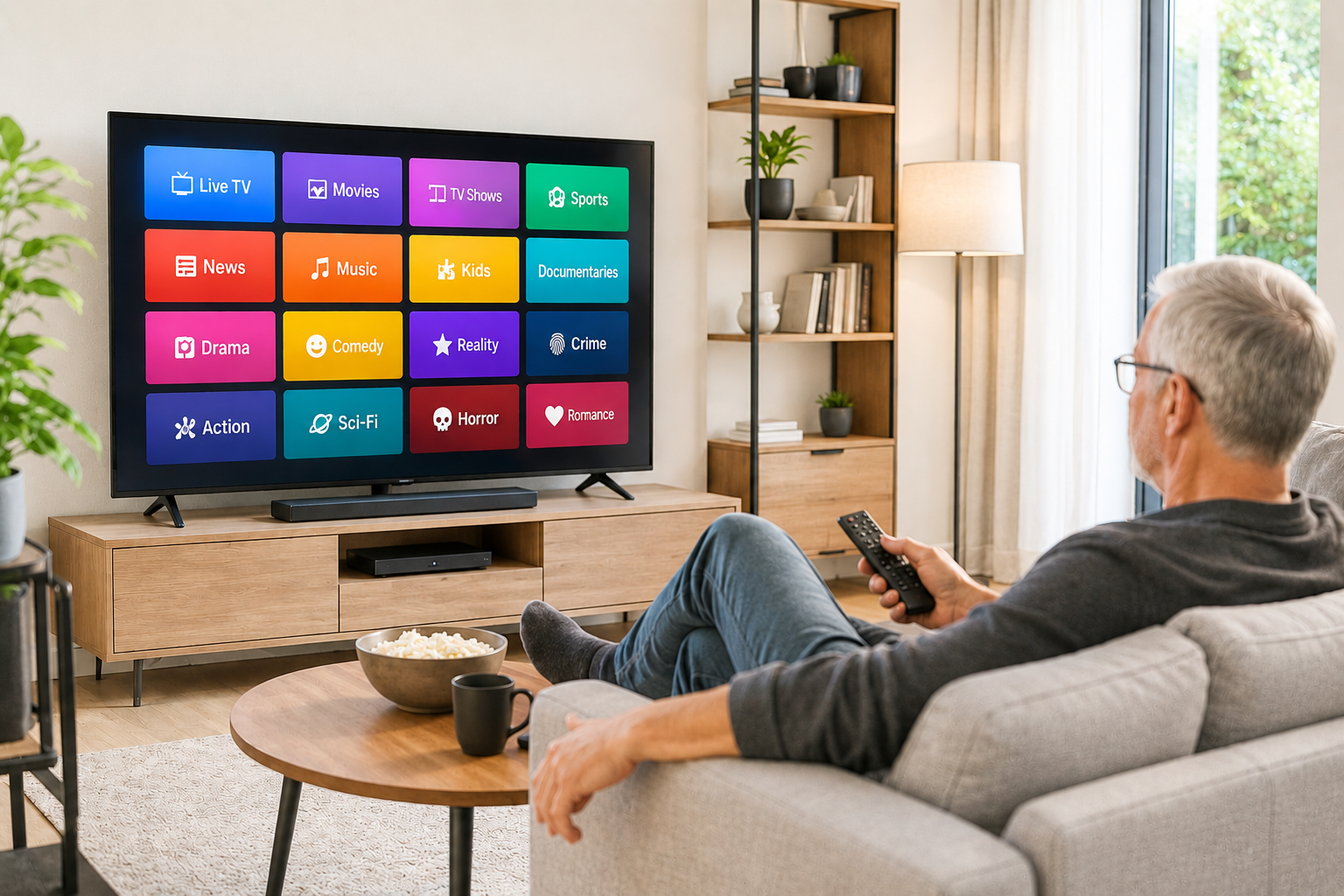
Streaming Services in 2026: Which Ones are Actually Worth Keeping?
Netflix, Hulu, Disney+, Peacock, Max, Paramount+, Apple TV+ - if you're paying for all of them you're spending over $74 a month. Prices went up again in 2026. Here's which streaming services are actually worth keeping — and which ones you can cut today without missing a thing.
Disclosure: Household Advocate is an independent bill review service and is not affiliated with any internet, cable, or phone provider mentioned in this post. We do not receive compensation from any provider. Our only goal is to help you find savings.
If you feel like your streaming bills have quietly gotten out of control — you're not wrong. The average American household now subscribes to four or more streaming services, paying $60-80 per month for the privilege of having too many options and not enough time to watch any of them.
Here's an honest look at what each service costs, what it's actually worth, and how to cut your streaming bill without giving up the shows you actually watch.
What Streaming Costs in 2026
Prices have been rising steadily. Here's what you're paying right now:
| Service | With Ads | Ad-Free |
|---|---|---|
| Netflix | $8/month | $19.99/month |
| Disney+ / Hulu (combined) | $12.99/month | $19.99/month |
| Max (HBO) | $11/month | $23/month |
| Amazon Prime Video | $9/month (standalone) | $12/month + $4.99/month for ad-free |
| Peacock | $10.99/month | $16.99/month |
| Paramount+ | $8.99/month | $13.99/month (with Showtime) |
| Apple TV+ | $13.99/month | No ads included |
If you subscribed to all seven: $74/month with ads, or over $110/month ad-free.
That's more than most people pay for cable TV — and the whole point of streaming was to save money.
The Big Change in 2026: Disney+ and Hulu Are Merging
Disney is folding the standalone Hulu app into Disney+, creating a single unified streaming experience. If you currently pay for both separately, you'll be moved to the combined bundle. If you only have one, the change won't affect you much.
The combined Disney+/Hulu bundle costs $12.99/month with ads or $19.99/month ad-free — a reasonable deal if you watch both.
Which Services Are Worth Keeping?
Netflix — Keep it Netflix remains the gold standard. The widest content variety, the most new releases, and the most consistently watched service in most households. At $8/month with ads it's hard to argue with. Even at $19.99 ad-free it's the one most people would keep last. If you're going to pay for only one service — this is it.
Amazon Prime Video — Keep it if you already have Prime If you're paying $14.99/month for Amazon Prime for the shipping — the video service is essentially free. Watch it. If you're subscribing to Prime Video standalone at $9/month just for the streaming — that's worth evaluating. The library is enormous but the user experience can feel cluttered with constant upsells for channel add-ons.
Max (HBO) — Keep it if you watch prestige TV House of the Dragon, The Last of Us, The White Lotus — if these shows matter to you, Max is worth it. If you haven't opened the app in two months, cancel it and come back when a new season drops. At $23/month ad-free it's the most expensive mainstream service.
Disney+ / Hulu Bundle — Keep it for families If you have kids or you watch Hulu's current TV lineup — the $12.99 bundle is good value. If you're paying for Disney+ just to rewatch old movies occasionally, that's worth questioning.
Apple TV+ — Keep it only if you actively watch The smallest library but highest quality-to-quantity ratio. Severance, Slow Horses, Silo, Ted Lasso. At $13.99/month it's only worth it if you're actively watching. The good news: Apple frequently offers free trials, and new Apple device buyers get three months free.
Peacock — Evaluate carefully Peacock has the biggest price-to-value gap of the major services. Value per dollar has eroded significantly — prices went up 21% while the content library shrank in relative terms. Keep it if you watch live NBC, current season Bravo shows, or NFL games on Peacock. Otherwise it's a candidate for cancellation.
Paramount+ — Only if you watch CBS or Showtime Solid for Yellowstone fans, CBS procedural fans, and anyone who wants Showtime content. Otherwise it's the most skippable of the mainstream services. At $8.99/month with ads it's one of the cheaper options if you do watch it.
The Free Options You Might Not Know About
Before paying for anything — know what you're already getting for free:
Tubi — Free, no subscription Thousands of movies and TV shows, completely free with ads. The library isn't always current but it's surprisingly good. Available on any smart TV or streaming device.
Pluto TV — Free, no subscription Live channels plus on-demand content. Good for background TV and classic shows. Free with ads.
Peacock Free (with ads) — Free A limited but real selection of content at no cost.
PBS Passport — Free with a PBS donation Excellent documentaries, Masterpiece Theatre, British dramas. A $5/month PBS donation unlocks more content than most people realize.
The Subscription Audit — What to Actually Do
List every streaming service you pay for — check your credit card statement. People are often surprised to find services they forgot they subscribed to.
Check when you last opened each app — your phone or smart TV will show this. If you haven't opened an app in 60 days, cancel it.
Rotate instead of stacking — you don't need everything at once. Watch everything on Max, cancel it, switch to Peacock for a month, cancel it, come back to Max when the next season drops. Most services make it easy to pause or cancel.
Choose ad-supported tiers — the ad-supported versions of Netflix, Max, Peacock, and Hulu are perfectly watchable. Ad breaks are shorter than traditional TV. At $8 vs $20 for Netflix, you save $144/year.
Look for bundles — Verizon, T-Mobile, and Apple One offer streaming bundles that can be cheaper than subscribing individually.
The Realistic Monthly Streaming Budget
Most households genuinely need two or three services at most:
The practical household:
- Netflix with ads: $8/month
- Disney+/Hulu bundle with ads: $12.99/month (skip if no kids)
- Amazon Prime Video: included with Prime
Total: $21/month — or $8/month if you already have Prime
That covers the vast majority of what most people actually watch. Everything else is optional and should be evaluated honestly.
Still Overwhelmed?
Streaming decisions are just one piece of your overall TV and internet bill. Most households are overpaying somewhere — and it's often not where they think. Household Advocate reviews your complete TV, internet, and phone bills and gives you a plain English plan for exactly what to keep, what to cut, and what to switch.
How to Cancel Comcast and What to Switch to Instead
Finally ready to cancel Comcast? Before you call, there are three things you need to do first - or you could end up without internet for days. Here's exactly how to cancel, what to switch to, and how to make the whole transition smooth.
Disclosure: Household Advocate is an independent bill review service and is not affiliated with any internet, cable, or phone provider mentioned in this post. We do not receive compensation from any provider. Our only goal is to help you find savings.
If you've finally had enough of Comcast and you're ready to cancel, this guide will walk you through exactly how to do it — and what to switch to so you don't end up in a worse situation.
Before You Cancel — Three Things to Do First
Canceling Comcast without a plan in place can leave you without internet for days. A few minutes of preparation makes the transition smooth.
1. Check what's available at your address Before canceling anything, confirm your alternative is available. Visit verizon.com (for Fios), your local cable competitor's website, or call to confirm service at your specific address. Don't assume — check first.
2. Schedule your new service to start before canceling Comcast Most providers can install new service while your old service is still running. Schedule the installation, get the new service confirmed and working, then cancel Comcast. This eliminates any gap.
3. Check if you're under contract Comcast promotional rates sometimes come with early termination fees. Log into your Xfinity account or call to ask: "Am I under contract and is there an early termination fee if I cancel today?" Know the number before proceeding.
The Best Alternatives to Comcast by Region
Verizon Fios (Philadelphia suburbs, Northeast) The strongest alternative for most Comcast customers in the mid-Atlantic region. Pure fiber optic service, consistently faster and more reliable than Comcast cable, and significantly cheaper for comparable speeds. No modem rental fee. No contracts. Rated #1 in customer satisfaction in the East region.
Best for: households wanting the best combination of speed, reliability, and price
T-Mobile Home Internet A cellular-based home internet option that works anywhere with T-Mobile coverage. $50/month flat, no contracts, equipment included. Speeds vary by location but many customers report 100-300 Mbps — sufficient for most households. Setup takes minutes — plug in the gateway and you're connected.
Best for: households without fiber options or those who want the simplest possible setup
Verizon Home Internet (LTE/5G) Similar to T-Mobile Home Internet but on Verizon's network. $50-70/month depending on your plan. Good option where Fios fiber isn't yet available but Verizon has strong cellular coverage.
Best for: households in areas where Fios fiber hasn't reached yet
Astound/RCN (select markets) A regional cable provider serving parts of the mid-Atlantic. Often cheaper than Comcast for comparable service. Worth checking if available in your area.
Best for: households where Fios isn't available and wanting a traditional cable internet option
How to Actually Cancel Comcast
Comcast makes canceling deliberately difficult. Here's the most effective approach:
Option 1 — Cancel online (easiest) Visit xfinity.com/cancel — Comcast now offers online cancellation. Select your account, choose to cancel, and follow the prompts. You'll likely be presented with retention offers. You can decline them.
Option 2 — Call retention directly Call 1-800-934-6489 and say "I'd like to cancel my service." You will be transferred to the retention department. They will offer discounts to keep you. If you want to stay and get a better rate — negotiate here. If you want to leave — be firm and say "I've already set up service with another provider and I'd like to cancel effective [date]."
Option 3 — Chat online Go to xfinity.com and use the chat feature. Ask to cancel. This creates a written record of the cancellation request which can be useful if there are billing disputes later.
What to expect during the cancellation call:
- Multiple offers to stay — lower rates, free upgrades, account credits
- Questions about why you're leaving
- Possible transfer between departments
Stay polite but firm. "I appreciate the offer but I've already made my decision" is a complete sentence.
Returning the Equipment
If you've been renting Comcast equipment — modem, router, cable boxes — you need to return it or you'll be charged.
How to return Comcast equipment:
- Drop it off at any Xfinity store (bring the equipment and your account number)
- Use UPS — Comcast provides free return shipping labels at UPS stores
- Keep your receipt — it's proof the equipment was returned
Important: Return equipment within 10 days of cancellation to avoid charges.
What About My Xfinity Email Address?
If you have an @comcast.net email address, you can keep it for 90 days after canceling. After that it will be deactivated.
The honest advice: Now is a good time to transition to Gmail or another free email provider anyway. Tying your email to your internet provider means this situation every time you switch. A Gmail or Outlook address travels with you regardless of who provides your internet.
The Streaming TV Question
If you're also canceling Xfinity TV service, you'll need a streaming replacement. The most popular options for former cable customers:
- YouTube TV — $72.99/month, includes local channels and major cable networks, unlimited DVR
- Hulu + Live TV — $82.99/month, strong sports coverage, includes Disney+
- DirecTV Stream — various packages, strong local channel coverage
Most families who cut cable and switch to streaming save $50-100/month even after subscribing to a streaming service.
Still Feeling Overwhelmed?
Switching internet and TV providers involves a lot of moving pieces — comparing plans, checking availability, timing the switch, returning equipment, and figuring out streaming. That's exactly what Household Advocate is here to help with.
We review your current bills, identify the best alternatives at your specific address, and walk you through exactly what to do step by step — in plain English.
The modem rental trap: Why you’re paying $180 a year for nothing
There's a charge on your cable bill most people never question. It's $10-20 every single month for equipment you could own outright for less than $100. Here's how to make it disappear.
Disclosure: Household Advocate is an independent bill review service and is not affiliated with any internet, cable, or phone provider mentioned in this post. We do not receive compensation from any provider. Our only goal is to help you find savings.
There's a charge on your cable or internet bill that most people never question. It's labeled "equipment rental," "gateway fee," or "modem rental" — and it typically runs $10-20 per month.
That's $120-240 per year. Every year. For equipment you could own outright for less than $100.
Here's everything you need to know to stop paying it.
What Exactly Is a Modem Rental Fee?
When your internet provider installs service, they typically provide a modem - the device that connects your home to the internet. Most providers charge a monthly fee to "rent" this equipment.
Here's what they don't tell you: you don't have to rent it from them.
Every major internet provider - Xfinity, Spectrum, Cox, Optimum, Astound — allows you to use your own compatible modem instead of theirs. When you do, the rental fee disappears from your bill immediately.
How Much Are the Major Providers Charging?
- Xfinity: $15/month ($180/year)
- Spectrum: $14/month ($168/year)
- Cox: $13/month ($156/year)
- Optimum: $10/month ($120/year)
- Astound/RCN: $10-15/month ($120-180/year)
If you've been renting for five years you've paid $600-900 for equipment worth $80-100. The math is not subtle.
Why Do People Keep Paying It?
A few reasons - all of which benefit the provider:
It's buried in the bill. Equipment rental is listed as a line item among many charges. Most people glance at the total and don't scrutinize individual fees.
It's been there forever. When something has been on your bill for years you stop seeing it. It becomes part of the expected total.
People assume it's required. Many customers don't know they have the option to use their own equipment. The providers certainly aren't advertising it.
It feels complicated. Buying a modem, setting it up, calling to register it — it sounds like a project. It isn't. It takes about 30 minutes total.
How to Stop Paying the Modem Rental Fee
Step 1 — Find out what modem you currently have Check the label on the device your provider installed. Note the model number.
Step 2 — Check your provider's approved device list Every provider maintains a list of compatible modems you're allowed to use. Search "[your provider name] approved modems" or "compatible modems" on their website. This list shows exactly which models work with their service.
Step 3 — Buy a compatible modem The most reliable options across providers:
- Motorola MB8611 — works with Xfinity, Cox, Spectrum, and others. Around $130-150. Excellent performance, DOCSIS 3.1 standard which is future-proof.
- Arris SURFboard S33 — works with most major providers. Around $100-120. Solid reliable performer.
- Netgear CM1000 — good mid-range option, around $80-100.
For most households a modem in the $80-100 range pays for itself in 6-7 months and then saves money every month after.
One important note: If you use your provider's gateway (a combined modem and router in one device) and you want to keep WiFi, you'll need to either buy a modem plus a separate router, or buy a combination modem/router (also called a gateway) that's on the approved list.
Step 4 — Set it up
- Plug the new modem into your coax cable (the round screw-in cable that comes from the wall)
- Connect it to your computer or router via ethernet cable
- Call your provider and say: "I'd like to register my own modem." Give them the model number and the MAC address (printed on the label on the modem)
- They'll activate it remotely — usually takes 5-10 minutes
- Return the rented equipment to avoid continued charges
Step 5 — Return the rental equipment Drop the old modem at your provider's store or a UPS location. Keep your receipt.
What About the Router - Do I Need to Buy That Too?
A modem connects your home to the internet. A router creates your WiFi network. They're different devices.
Many providers bundle both into one "gateway" unit. If you replace it with a standalone modem, you'll need a router for WiFi.
Options:
- Buy a combination modem/router (gateway) that's on the approved list — one device handles everything
- Buy a standalone modem and add your own router — more flexibility and often better WiFi performance
- Many people already have a good router and just need the modem
If WiFi coverage has been a problem in your home — now is a good time to consider a mesh WiFi system (like Eero or Google Nest) instead of a single router. They provide much better coverage throughout a large home.
Will My Internet Speed Be Affected?
No — as long as you buy a modem that supports your plan's speed. Check the specs before buying:
- DOCSIS 3.0 — supports speeds up to about 400 Mbps, fine for most plans
- DOCSIS 3.1 — supports Gigabit speeds, recommended for 500 Mbps plans and above, and future-proof as speeds increase
When in doubt, buy DOCSIS 3.1. The price difference is minimal and you won't need to upgrade for years.
The Bottom Line
The modem rental fee is one of the easiest bill reductions available to any household with cable or internet service. One purchase, one 30-minute setup call, and the fee disappears — permanently.
If the idea of picking the right modem, registering it with your provider, and returning the old equipment sounds like more than you want to deal with — that's exactly what Household Advocate is here for. We review your entire bill, identify savings like this one, and give you a step-by-step plain English plan for exactly what to do.
T-Mobile Home Internet 2026: Is it worth it?
Is T-Mobile Home Internet worth switching to? If you're paying $70+ a month for Xfinity or Spectrum - there's a $50 flat-rate alternative with no contract, no equipment fees, and a 15-minute self-install. Here's the honest breakdown.
Disclosure: Household Advocate is an independent bill review service and is not affiliated with any internet, cable, or phone provider mentioned in this post. We do not receive compensation from any provider. Our only goal is to help you find savings.
If you live in the suburbs or a rural area and you're tired of paying too much for cable internet, or you can't get fiber where you live, T-Mobile Home Internet is worth a serious look. It's not perfect for everyone, but for the right household it's one of the best deals available right now.
Here's everything you need to know in plain English.
What Is T-Mobile Home Internet?
T-Mobile Home Internet is a wireless internet service that uses T-Mobile's 5G (and 4G LTE) cellular network to deliver internet to your home. Instead of a cable running from the street to your house, it works just like your cell phone - through the air, off a cell tower.
You plug a small gateway device into an outlet, wait a few minutes, and you're connected. No technician visit, no drilling, no appointment window where you wait at home all day.
What Does It Cost in 2026?
T-Mobile has simplified its pricing recently:
- Rely Home Internet: $50/month — typical speeds 133–415 Mbps
- All-In Home Internet: slightly higher, includes extras like streaming service credits and a 5-year price guarantee
- T-Fiber (select areas): $45/month for 300 Mbps, $60/month for 1 Gbps, $70/month for 2 Gbps — where available
The standard 5G Home Internet at $50/month includes unlimited data, no contracts, and equipment (the gateway device) is provided at no charge. Pricing is with AutoPay.
Current promotion: $200 rebate via prepaid Mastercard when activating the All-In plan.
What you don't pay:
- No modem rental fee
- No installation fee
- No annual contract
- No data caps on most plans
What Speeds Can You Actually Expect?
This is where the honest answer matters: it depends on where you live.
T-Mobile's published typical speeds are 133–415 Mbps on the standard plan. Most customers in suburban Pennsylvania and New Jersey report speeds in the 150–300 Mbps range - more than sufficient for streaming, video calls, and general browsing.
For context: Netflix recommends 15 Mbps for HD streaming and 25 Mbps for 4K. Even at 150 Mbps you have enough bandwidth for multiple people streaming simultaneously.
Where it works best:
- Suburban and rural areas with decent T-Mobile coverage
- Households without fiber options
- Homes where you don't need consistent gigabit speeds
Where it may disappoint:
- Dense urban areas where the network can get congested at peak times
- Locations with poor T-Mobile signal (check coverage at T-Mobile.com before ordering)
- Heavy gamers or households with extremely high bandwidth demands
T-Mobile Home Internet vs. Xfinity Cable
The comparison most people in the Philadelphia suburbs and southern New Jersey want:
| T-Mobile Home Internet | Xfinity (typical) | |
|---|---|---|
| Monthly cost | $50 flat | $60–90+ (often increases after 1 year) |
| Contract | No | Often 1–2 years for promotional pricing |
| Equipment fee | None | $15/month modem rental if using theirs |
| Installation | Self-install, 15 minutes | Technician visit required |
| Speed | 133–415 Mbps typical | 300 Mbps–1 Gbps+ depending on plan |
| Price stability | 5-year guarantee on some plans | Rate increases after promotional period |
| Data caps | None | 1.2 TB/month (overage charges possible) |
The math over two years tells an interesting story. An Xfinity customer paying $80/month with a $15 modem rental pays $2,280 over two years. A T-Mobile customer at $50/month pays $1,200 - a savings of $1,080 for comparable service.
Who Should Consider T-Mobile Home Internet?
Great fit:
- Households currently paying $70+ for Xfinity or Spectrum cable internet
- Anyone without access to Verizon Fios fiber
- People who hate tech setups - self-install takes 15 minutes
- Households in suburban or rural areas with solid T-Mobile coverage
- Anyone who hates contracts and rate increases
Not ideal for:
- Heavy gamers who need ultra-low latency
- Households needing consistent 500+ Mbps speeds
- Areas with poor T-Mobile coverage
- Anyone who needs a business-grade service level agreement
How to Check If It Will Work at Your Address
Before signing up, test it. T-Mobile offers a 15-day trial period. If it doesn't work at your location, return it with no penalty.
1. Go to T-Mobile.com/home-internet
2. Enter your address to confirm availability
3. Order online - the gateway ships to your door
4. Plug it in, set it up in 15 minutes
5. Test speeds and reliability for 2 weeks
If you're happy, keep it. If it's not fast enough or reliable enough at your location — return it.
The Bottom Line
T-Mobile Home Internet isn't right for everyone, but for a lot of households in the Philadelphia suburbs and South Jersey who are overpaying for Xfinity, it's worth trying. $50/month flat, no contract, no modem rental, no technician appointment. If your only alternative is paying $80-100+ for Xfinity cable, the trial period costs you nothing.
Not sure if it's the right move for your household? Household Advocate reviews your current bills and specific situation and gives you a plain English recommendation, including whether T-Mobile Home Internet makes sense for your address.
Ready to find your savings? Click here to start your bill review.

Verizon Fios vs. Xfinity in the Philadelphia Area - Which is Better in 2026?
Is Verizon Fios really better than Xfinity? The answer depends on your address, your household size, and what you're actually paying. Here's the plain English breakdown.
Disclosure: Household Advocate is an independent bill review service and is not affiliated with any internet, cable, or phone provider mentioned in this post. We do not receive compensation from any provider. Our only goal is to help you find savings.
If you live in the Philadelphia suburbs: Delaware County, Montgomery County, Bucks County, Chester County, or South Jersey, you've probably wondered whether it's worth switching from Xfinity to Verizon Fios. Here's an honest, plain English comparison.
The Short Answer
For most households in the Philadelphia area, Verizon Fios is the better deal. It's faster, more reliable, cheaper for comparable service, and has no modem rental fee. The main reason people stay with Xfinity is inertia - not because Xfinity is better.
What's the Actual Difference Between Fios and Xfinity?
This is the most important thing to understand: Fios and Xfinity use completely different technology.
Xfinity uses cable infrastructure - the same physical lines that originally carried cable TV signals. It's good technology but shared with your neighbors, which means speeds can slow down during peak evening hours when everyone on your block is streaming simultaneously.
Verizon Fios uses fiber optic cable - pure fiber from Verizon's network all the way to your home. Fiber doesn't slow down during peak hours. The speed you pay for is the speed you get, consistently.
This is why Fios customers report more consistent performance even when their plan speed is technically lower than what Xfinity offers.
The Price Comparison
Here's what you're actually paying vs. what Fios costs for comparable service in the Philadelphia area:
| Plan | Xfinity | Verizon Fios |
|---|---|---|
| ~300 Mbps | ~$75-85/month | $49.99/month |
| ~500 Mbps | ~$85-100/month | $64.99/month |
| ~800-1000 Mbps | ~$110-130/month | $89.99/month |
Plus the modem fee: Xfinity charges $15/month to rent their modem, which adds up to $180/year. Fios includes a router at no extra charge. Add $15/month to every Xfinity price above when making a real comparison.
Real monthly cost comparison for a typical household:
- Xfinity 800 Mbps + modem rental: $128-145/month
- Fios 300 Mbps (plenty for most households): $49.99/month
- Monthly saving: $78-95
- Annual saving: $936-$1,140
Speed: Do You Actually Need 800 Mbps?
Most households don't. Here's a realistic look at what different activities actually require:
- Streaming 4K Netflix: ~25 Mbps
- Video call (Zoom/FaceTime): ~5 Mbps
- Gaming: ~25-50 Mbps
- General browsing: ~5-10 Mbps
A family of four doing all of these simultaneously at peak time needs roughly 200-250 Mbps comfortably. Fios 300 Mbps handles this with room to spare at less than half the price of Xfinity's 800 Mbps plan.
Is Fios Available at My Address?
Fios covers most of the Philadelphia suburbs but not all areas. Verizon has been actively expanding fiber coverage and as of 2026 covers the majority of Delaware, Montgomery, Bucks, and Chester Counties.
The easiest way to check: visit verizon.com and enter your address. It takes 30 seconds.
If Fios isn't available at your address yet, it may be coming soon. Verizon continues to expand the fiber network throughout the region.
What About the Installation?
Fios installation typically takes 2-4 hours. A technician runs fiber to your home, installs the router, and sets up your service. Ordering online (rather than by phone) usually saves the $99 installation fee.
One thing many people don't realize: you can keep your Xfinity email address even after switching, and you can schedule the Fios installation before canceling Xfinity so there's no gap in service.
The Customer Satisfaction Reality
Xfinity consistently ranks at the bottom of internet provider satisfaction surveys. Verizon Fios consistently ranks at or near the top, including being rated #1 in customer satisfaction in the East region by J.D. Power for multiple consecutive years.
The reasons are straightforward: Fios has fewer outages, more consistent speeds, and more transparent pricing without the bill increases that Xfinity customers experience regularly.
The One Situation Where Xfinity Makes Sense
If you're bundling cable TV, internet, and home phone together and getting a significant multi-service discount, run the full math before switching. Sometimes a bundle creates enough savings to make Xfinity competitive. But for internet-only households, Fios wins on almost every measure.
Not Sure What You're Actually Paying?
Most Xfinity customers don't know their exact plan speed, when their promotional rate expires, or whether they're renting a modem they could own. If any of that sounds familiar, that's exactly what Household Advocate is here to help with.
We review your current internet bill, compare it against the best available options at your address, and give you a plain English recommendation for exactly what to do.
Most Philadelphia-area families we work with save $50 - $150 every month just on internet and cable.

Best Cell Phone Plans for Seniors (or anyone!) in 2026 - How to Cut Your Bill in Half
If you're paying Verizon, AT&T, or T-Mobile for cell phone service, there's a good chance you're spending twice what you need to for the exact same coverage. Here's what most people don't know - and how to fix it.
Disclosure: Household Advocate is an independent bill review service and is not affiliated with any internet, cable, or phone provider mentioned in this post. We do not receive compensation from any provider. Our only goal is to help you find savings.
If you're paying Verizon, AT&T, or T-Mobile for cell phone service, there's a good chance you're spending twice what you need to for the exact same coverage. Here's what most people don't know — and how to fix it.
The Secret the Big Carriers Hope You Never Find Out
Verizon, AT&T, and T-Mobile own the cell towers. But they don't have to be the ones billing you for using them. Smaller carriers, called MVNOs (Mobile Virtual Network Operators), lease access to those same towers and resell the service at dramatically lower prices. The signal is identical. The coverage map is identical. The only difference is the monthly bill.
Consumer Cellular, for example, runs on AT&T's network. Mint Mobile runs on T-Mobile's towers. Visible runs on Verizon's infrastructure. If you switch from Verizon to Visible, you're using the exact same cell tower and just paying a fraction of the price.
What Seniors Are Actually Paying vs. What They Could Pay
Here's a real-world comparison for a single line of unlimited service:
Verizon postpaid unlimited: $75-90/month;
Consumer Cellular unlimited: $45/month; Visible (Verizon network): $25/month; Mint Mobile (T-Mobile network): $15-30/month depending on plan
For two lines - a very common situation for a senior and a spouse:
Two lines on Verizon postpaid: $140-160/month;
Two lines on Consumer Cellular: $75-90/month Two lines on Visible: $50/month
That's a potential saving of $90-110 every single month - over $1,000 per year - for identical coverage.
Which Carrier is Right for You?
Not every carrier works for every situation. Here's a plain English guide:
Consumer Cellular — Best for most seniors
Runs on AT&T’s network
Excellent customer service — US-based, senior-friendly
No contracts
Plans start around $20/month
Easy to set up and manage
AARP members get a 5% discount
Best for: seniors who want reliability, good customer service, and a simple experience
Visible — Best for heavy data users
Runs on Verizon's network
$25/month for unlimited everything — one flat price, no surprises
No contracts
App-based management — less phone support available
Best for: seniors comfortable with smartphones who want the lowest possible price on Verizon's network
Mint Mobile — Best for light users who plan ahead
Runs on T-Mobile's network
Prices as low as $15/month when you pay for 3, 6, or 12 months upfront
No contracts but requires prepaying
Best for: seniors who don't use much data and want the absolute lowest price
Straight Talk — Good middle ground
Available at Walmart
Runs on multiple networks
Around $35-45/month unlimited
Simple prepaid setup
Best for: seniors who want to buy a plan at a familiar store
What About My Phone? Do I Have to Buy a New One?
Usually not. Most modern smartphones work with all carriers. There are two things to check:
1. Is your phone unlocked? If you've had your phone for more than a year and it's paid off, it's likely unlocked. You can call your current carrier and ask: "Is my phone unlocked?" They're required to tell you.
2. Are you still financing your phone? If you're making monthly payments on your phone through your carrier, switching may trigger the remaining balance becoming due. Find out exactly how much you owe before switching - it may still be worth it (it was for my family and situation), but factor it into the math.
The One Reason People Stay With the Big Carriers - And Why It Doesn't Hold Up
"I've been with Verizon for 20 years and I trust them."
Loyalty is understandable. But Verizon, AT&T, and T-Mobile don't reward loyalty - they charge their longest-standing customers the most while offering their best deals to new customers. The tower you're connecting to doesn't know or care who bills you for it.
Switching carriers does not mean worse service. For most seniors, it means identical service at half the price.
A Few Things to Know Before You Switch
Keep your phone number: You can transfer your existing number to any new carrier. Do NOT cancel your current service before the transfer is complete. You'll lose the number.
SIM card: Your new carrier will send you a SIM card (or eSIM). Inserting it is usually straightforward and any carrier will walk you through it.
Give it a week: Coverage may feel slightly different in very specific locations. Give it a few days before deciding.
Not Sure Where to Start?
That's exactly what Household Advocate is here for. We review your current cell phone bill, compare it against the best available alternatives on the same network, and give you a plain English recommendation for exactly what to change and how to do it.
Most families save $50–$150 every month — and many see their biggest savings on cell phone bills.
Ready to find your savings? Click here to start your bill review.
How to Lower Your Cable Bill in 2026: Secrets Xfinity, Spectrum, Cox and Optimum Hope You Never Find Out
Most people assume they're paying a fair price because they've been with the same provider for years. But that loyalty rarely gets rewarded. Here are 5 signs you might be paying more than you should.
Disclosure: Household Advocate is an independent bill review service and is not affiliated with any internet, cable, or phone provider mentioned in this post. We do not receive compensation from any provider. Our only goal is to help you find savings.
If you've opened your cable or internet bill lately and felt that familiar sinking feeling — you're not alone. Americans overpay billions of dollars every year on cable, internet, and phone services. Not because the deals don't exist. But because the companies that provide those services are counting on you not knowing where to look.
Here's what they hope you never find out.
1. Your Loyalty Is Being Punished
This is the one that surprises people the most. Cable and internet companies routinely offer their best pricing to brand new customers — not to the people who have been paying their bills faithfully for 10 or 15 years.
That introductory rate a new customer gets? You had it once too. Then it quietly expired, your bill crept up $20 or $30 a month, and nobody called to tell you.
Xfinity, Spectrum, Cox, and Optimum all do this. It's not an accident - it's a business model. They count on inertia. Most people never call to ask why their bill went up.
What to do: Call the customer retention department — not general customer service, retention specifically — and tell them you're considering canceling. Ask what promotional rates are currently available. You will almost always be offered a better deal than what you're paying now. Long-term customers who call and mention a competitor regularly receive $20-40 off their monthly bill.
2. The Modem Rental Trap
Check your bill right now. Do you see a line item for "equipment rental," "modem rental," or "gateway fee"?
Xfinity charges $15/month. Spectrum charges up to $14/month. Cox charges $13/month. Optimum charges similar fees. That's $156-180 per year — every year — for a piece of equipment that costs $80-100 to buy outright.
Most customers have been paying this fee for years without realizing they don't have to. Every major provider allows you to use your own compatible modem. You buy it once, it pays for itself within six months, and you never pay a rental fee again.
What to do: Search "[your provider] compatible modems" on their website for an approved list. A Motorola MB8611 or Arris SURFboard works with most providers and costs under $100 on Amazon. One purchase. Done.
3. You're Paying for Speeds You Don't Need
Internet providers love to sell the fastest possible tier — 800 Mbps, 1 Gig, even 2 Gig plans. They sound impressive. Most households don't come close to needing them.
For a family of four or five with multiple people streaming, gaming, and video calling simultaneously — 300-400 Mbps is genuinely sufficient with room to spare. Yet millions of households are paying for 800 Mbps or more, spending $30-50 extra per month for speed they never use.
What to do: Check your actual usage in your router's app or your provider's account portal. If you're consistently using less than half your plan speed, call and ask to downgrade. The savings add up quickly.
4. You're Paying for Channels You've Never Watched
The average cable package includes over 200 channels. The average household watches fewer than 10 regularly. Yet cable companies bundle everything together because it maximizes their revenue — not your value.
Xfinity, Spectrum, Cox, and Optimum all sell tiered channel packages, but their base packages are often still loaded with content most customers never watch. Meanwhile streaming services like YouTube TV, Hulu Live, and DirecTV Stream offer all the major channels most people actually want — local news, sports, major networks — for $55-75 per month with no contract and no equipment rental.
What to do: Write down the five channels you actually watch. Then check whether a streaming alternative carries them. For most people the math is straightforward — and the savings are significant.
5. The "Two Dollar Increase" That Isn't
This one is frustrating because it's so common. A representative tells you your bill will go up "just a couple of dollars" due to a rate adjustment, equipment upgrade, or new service fee. Then the bill arrives and it's $20, $50, or even $100 more than what you were told.
Joyce in the Lehigh Valley experienced exactly this. She was told her Astound bill would increase by a couple of dollars when they upgraded her equipment. Her first bill jumped $105.
This happens because the representative either doesn't know the full picture or is minimizing the change to avoid losing the customer. The increase is real. The "couple of dollars" framing is not.
What to do: Any time a provider tells you about a rate change, ask them to send it in writing — via email or letter — before it takes effect. Get the exact new monthly total in writing, not an estimate. And check your first bill carefully after any equipment change.
6. Your Cell Phone Plan Is Probably Overpriced Too
Here's something most people don't know: smaller carriers like Consumer Cellular, Mint Mobile, and Visible run on the exact same network towers as Verizon, AT&T, and T-Mobile. The same towers. The same coverage map. Sometimes literally the same signal.
The difference is price. Two lines on Verizon postpaid unlimited can easily cost $140-160 per month. Two lines on Visible — which runs on Verizon's towers — costs $50 per month. The call quality is identical.
What to do: Check your current plan's network (Verizon, AT&T, or T-Mobile) and then look at what smaller carriers on the same network charge. The savings for a family of four can easily be $80-100 per month.
7. Your Providers Are Counting on You Not Calling
The single biggest reason people overpay on cable, internet, and phone bills is simple: they don't call. They see the bill, they cringe, they pay it, and they move on.
Cable companies know this. Their pricing strategy is built around it. Promotional rates expire, fees get added, equipment costs creep up — and most customers absorb it silently year after year.
The people who get better deals are the people who call. Or the people who have someone call for them.
Not Sure Where to Start?
That's exactly why Household Advocate exists. A real person reviews your bills and tells you exactly how much you can save, within three business days for free. Want the full plan? You only pay when we find you savings.
Ready to find your savings? Click here to start your bill review.

5 Signs You’re Overpaying for Cable, Internet, or Phone
Most people assume they're paying a fair price because they've been with the same provider for years. But that loyalty rarely gets rewarded. Here are 5 signs you might be paying more than you should.
Disclosure: Household Advocate is an independent bill review service and is not affiliated with any internet, cable, or phone provider mentioned in this post. We do not receive compensation from any provider. Our only goal is to help you find savings.
Most families don't realize it until someone actually looks
If your monthly bills feel high but you're not sure whether to do anything about it — you're not alone. Most people assume they're paying a fair price because they've been with the same provider for years. But that loyalty rarely gets rewarded.
Here are five signs you might be paying more than you should.
1. Your bill went up and nobody told you
Cable, internet, and phone providers regularly raise rates — sometimes by $20-50 a month — with nothing more than a small-print notice buried in your statement. If you haven't looked closely at your bill in the last 6 months, there's a good chance you're paying more than you were without realizing it. Providers count on inertia. Most people never call.
2. You're paying for channels you never watch
The average cable package includes 200+ channels. Most families watch fewer than 10 regularly. If you're paying for a full cable bundle to get a handful of channels — local news, a few sports, maybe a movie channel — there are streaming options that deliver exactly what you watch for a fraction of the price. YouTube TV, for example, includes all major broadcast networks plus ESPN and sports channels for much less. No contract, cancel anytime.
3. You're renting a modem from your provider
Most internet providers charge $10-20 a month to rent their modem and router. That's $120-240 a year for equipment you could own outright for a one-time purchase. Many customers have been paying this fee for years without realizing it or assuming it's required. It's not.
4. Better plans exist at the same price - or less
Providers regularly introduce new plans with better speeds or more features at lower prices than what existing customers are paying. They just don't tell you about them. A quick call to ask about current promotions can sometimes save $20-40 a month instantly. Or switching providers entirely, while keeping the same level of service, can cut your bill dramatically.
5. You have two lines on a major carrier when you don't need to
Verizon, AT&T, and T-Mobile postpaid plans are convenient but expensive — often $70-90 per line per month. Smaller carriers like Consumer Cellular, Mint Mobile, and Visible run on the exact same network towers for a fraction of the cost. Two lines on Consumer Cellular unlimited can run $55 a month total. The same two lines on Verizon postpaid can easily cost $150+.
So what should you do?
The honest answer is — pull out your bills and take a look. Check what you're paying, what plan you're on, and when your last price increase was. Many people are surprised by what they find.
If that sounds overwhelming or you're not sure what you're looking for — that's exactly what Household Advocate is here for. A real person will review your TV, internet, and phone bills for free and tell you exactly how much you can save - you only pay if we find savings. Most families save $50-150 every month.